
Contents
Click here for TL;DR
- A free Excel tech pack template costs nothing to download but carries a recurring formatting cost on every style you build. That cost compounds with production volume.
- Timed comparisons between spreadsheet workflows and purpose-built tech pack tools have recorded speed differences of more than 40%, with most of the gap coming from formatting steps, not content entry.
- The real comparison is not free Excel vs. paid SaaS. A free native desktop app exists that offers built-in templates, local file ownership, and WYSIWYG export with no subscription and no account required to start.
- Built-in software templates remove the layout step entirely. What you see in the editor is exactly what the factory receives, with no export drift or column misalignment.
- Neither option requires you to spend money. The decision is about where you spend your time.
It's 11 PM before a factory deadline. Your garment sketch is done. Your measurements are confirmed. The next hour goes into reformatting the Excel template: adjusting column widths so the sketch doesn't overlap the BOM, re-pasting colorway swatches, updating the header on every tab, and fixing print margins so the PDF doesn't cut off the size run. Your product data was ready. The document was not.
This is the friction that free Excel tech pack templates don't show up front. The file itself is free. The time spent conforming your design data to a spreadsheet layout, every single time, is not.
For designers producing one or two styles a year, that overhead is manageable. For anyone running a growing brand or freelancing across multiple clients, it compounds in ways that are easy to underestimate before you start tracking them.
This piece breaks down what free Excel tech pack templates actually include, where they stop working for you, what built-in software templates do differently at the structural level, and how to decide which approach fits your current production volume.
What a Free Excel Tech Pack Template Actually Gives You
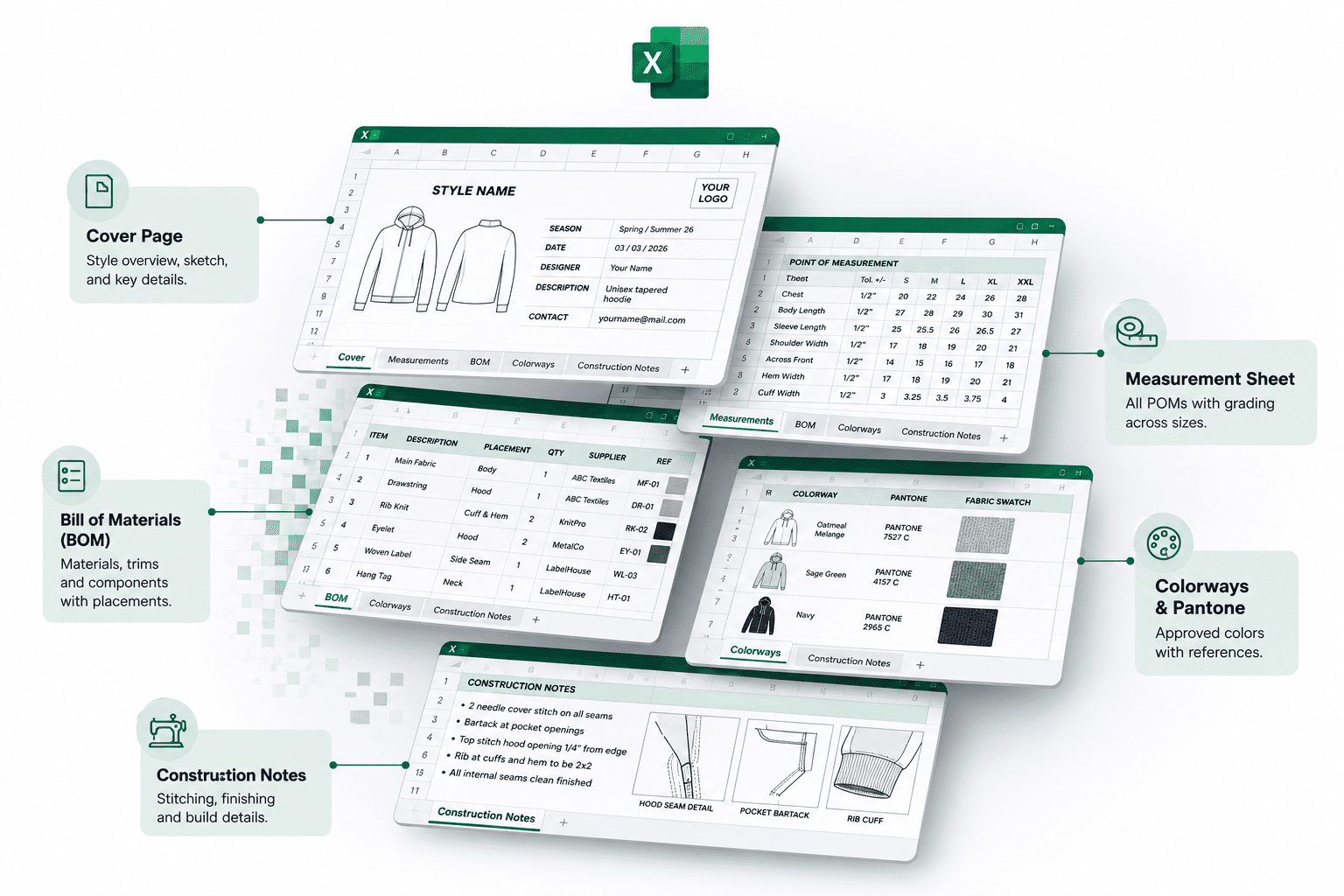
A free Excel tech pack template is a pre-structured spreadsheet with tabs for measurements, BOM, colorways, and construction notes. It gives you a starting layout so you are not building from a blank cell.
What the Template Covers
Most free Excel tech pack templates include pages that factories recognize and can read without issue: a style cover page with a sketch placeholder, a spec sheet for points of measurement, a bill of materials tab, a colorway and Pantone reference section, a grading table, and a construction notes page.
Any factory can open an .xlsx file without specific software installed. That compatibility is a genuine advantage.
Where Excel Templates Genuinely Work
An Excel tech pack template is the right call in specific situations.
If you produce one to three styles per year, work solo with no handoffs, and your factories are comfortable with your spreadsheet format, the template covers your needs without friction.
Freelance technical designers who work project-to-project with brands that have no consistent toolset often stay in Excel because forcing a client into new software for a two-style project creates more friction than it removes.
The case for Excel templates is real. It falls apart when production volume increases, or the formatting loop starts eating hours you can't account for.
This article shows what the transition looks like and why it works for freelancers specifically.
The Hidden Costs Excel Templates Don't Show at Download
Excel templates have no subscription cost, but they impose a formatting tax on every tech pack you build. That cost scales directly with production volume.
Every Style Starts the Same Reformatting Loop
The time lost in Excel tech pack creation is not spent on design decisions. It is spent on layout maintenance.
Each new style triggers the same actions that have nothing to do with the garment: adjusting image placement so the sketch doesn't override cells, setting print areas per tab, rebuilding the BOM row structure when a style has more or fewer components than the template assumes, and re-entering header information across every tab.
Version Control via File Names Is a Risk, Not a System
You have seen the file name: "Jacket_V3_FINAL_factory_use_this_one.xlsx." That is not version control. When multiple versions exist as separate files across a shared folder or email thread, the wrong one gets sent.
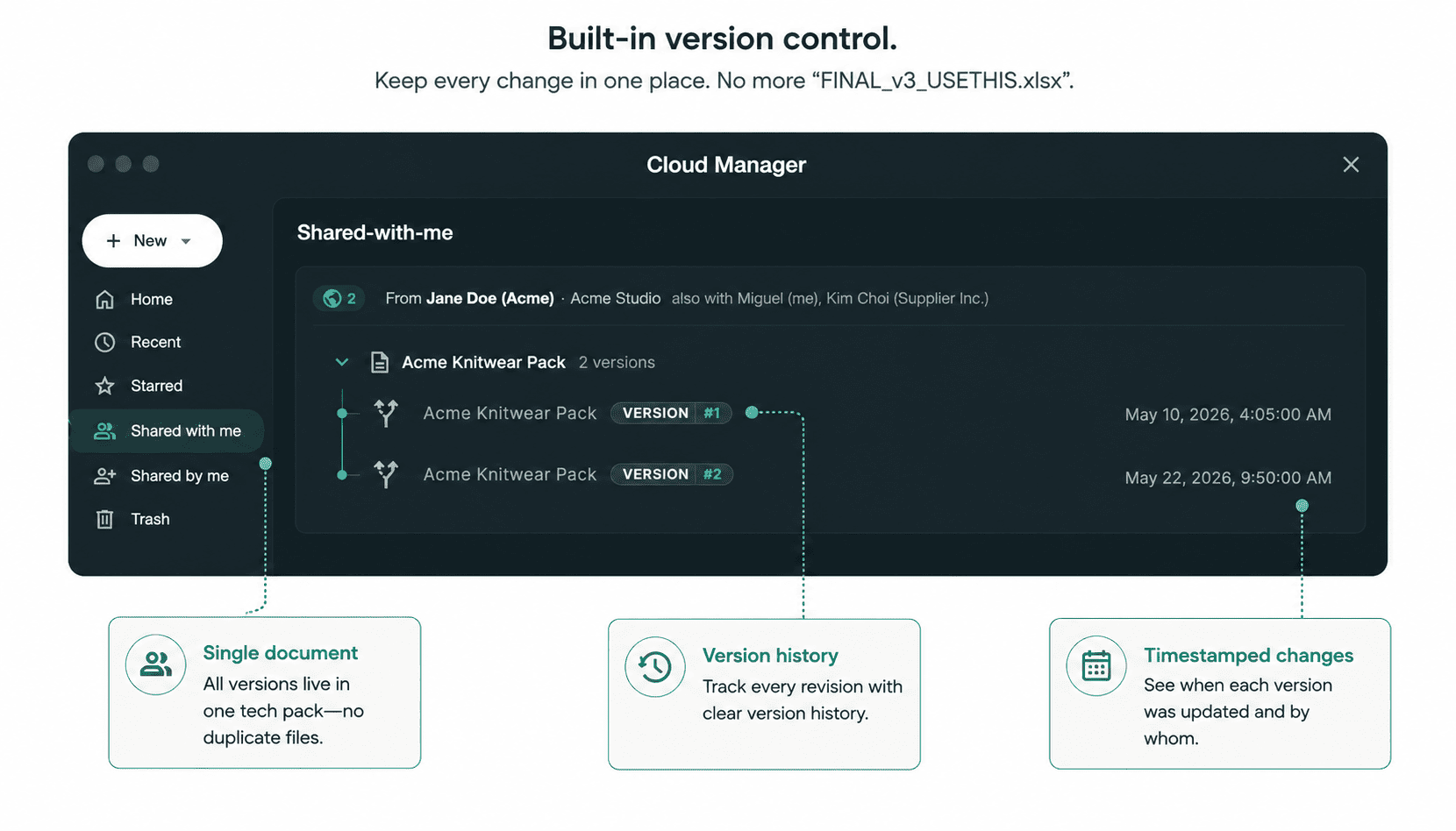
Production errors on specific details like button placements and trim changes are frequently traced back to Excel files duplicated multiple times without structured change tracking. The factory was working from a version the designer had already superseded.
Images Are a Second-Class Citizen in Excel
This is a structural issue no template can fix.
Excel treats images as floating objects layered above the cell grid. When you resize a row, the image doesn't move with it. When the file opens on a different Excel version or operating system, image positions shift further.
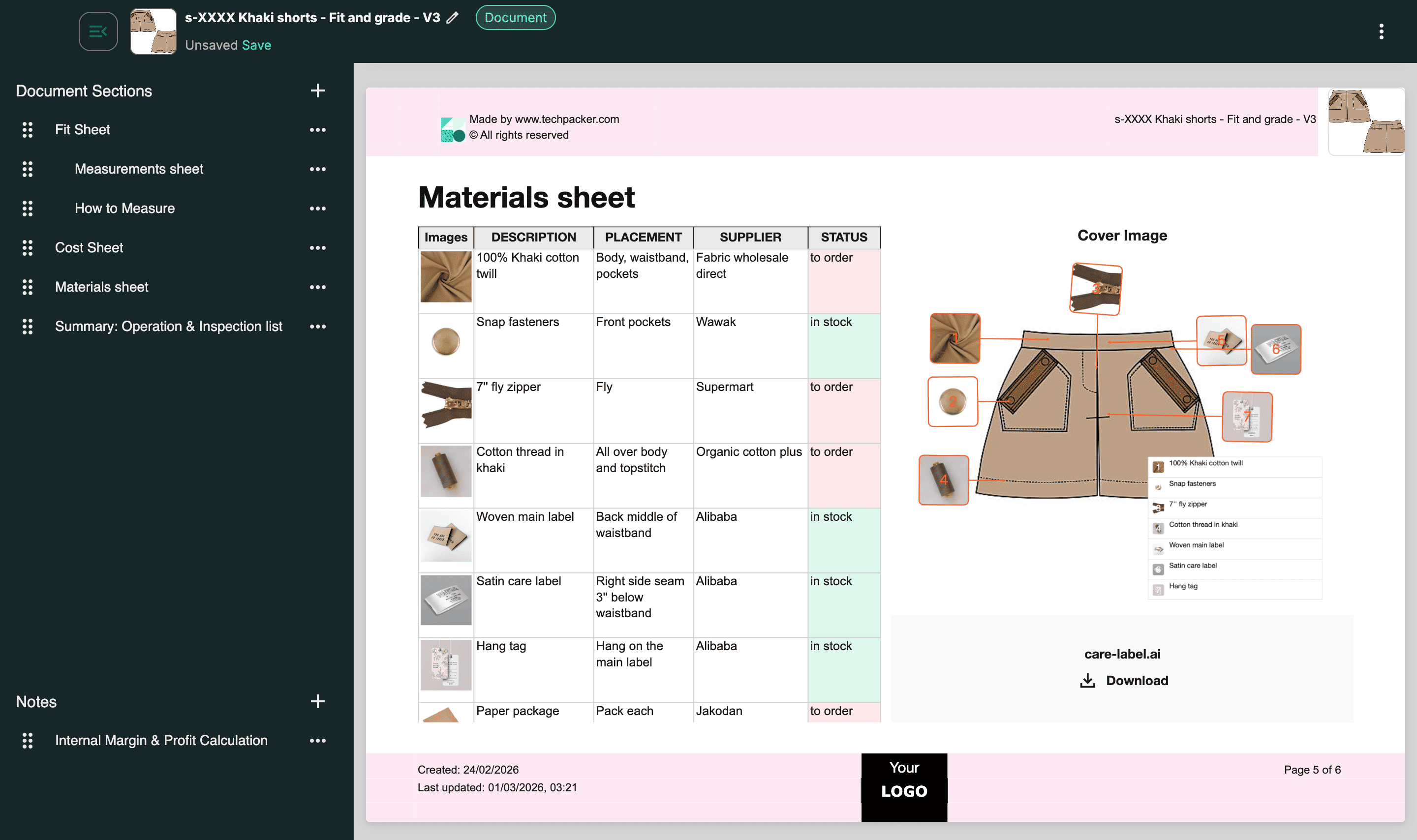
The layout the designer sent is not always the layout the factory receives. Most designers fix this by converting to PDF before sending, which works, but it is one more formatting step on every tech pack.
What Built-In Software Templates Actually Do Differently
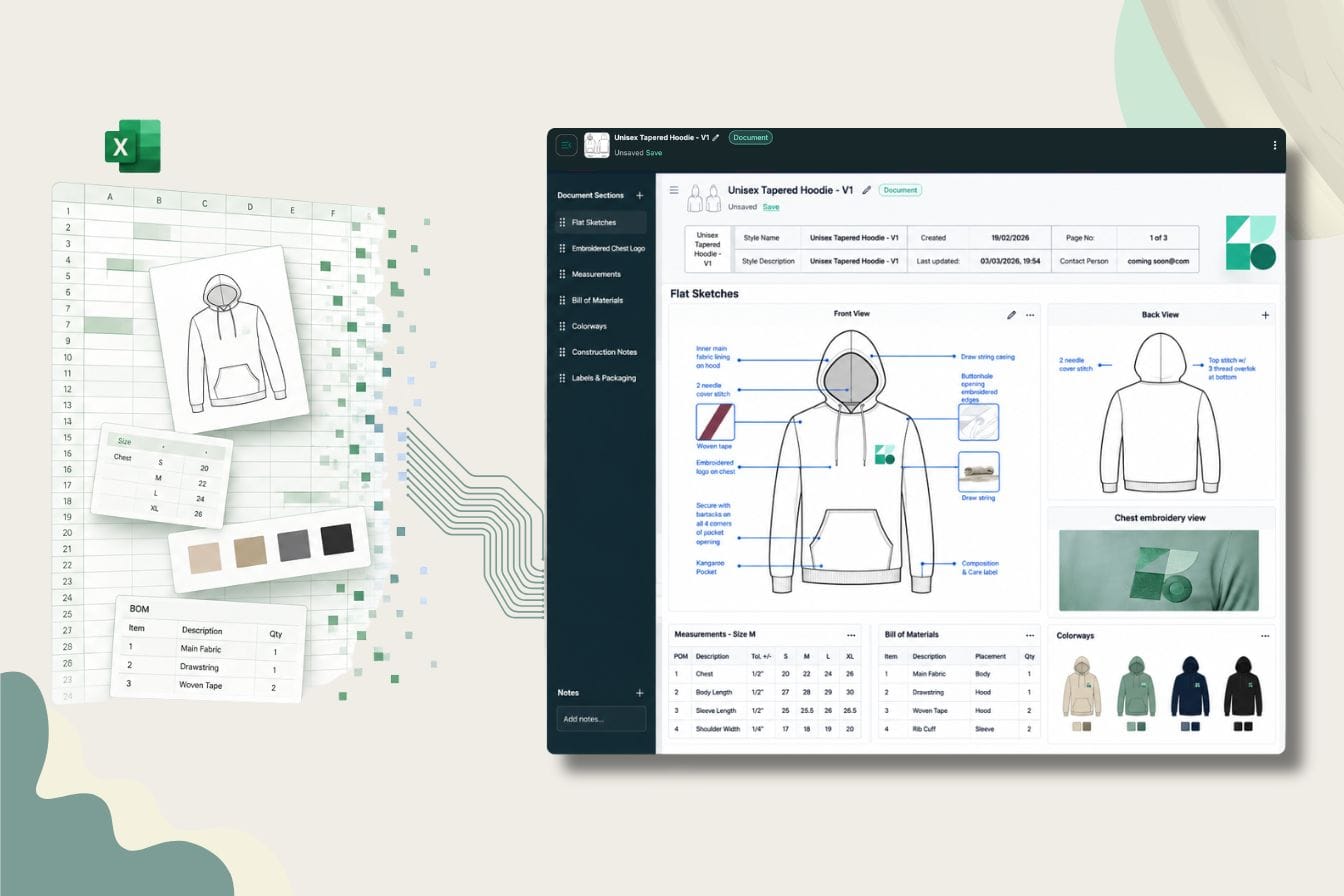
Built-in software templates are not downloadable files. They are layout environments where your content populates a pre-built structure. You fill in the design data; the software handles the formatting.
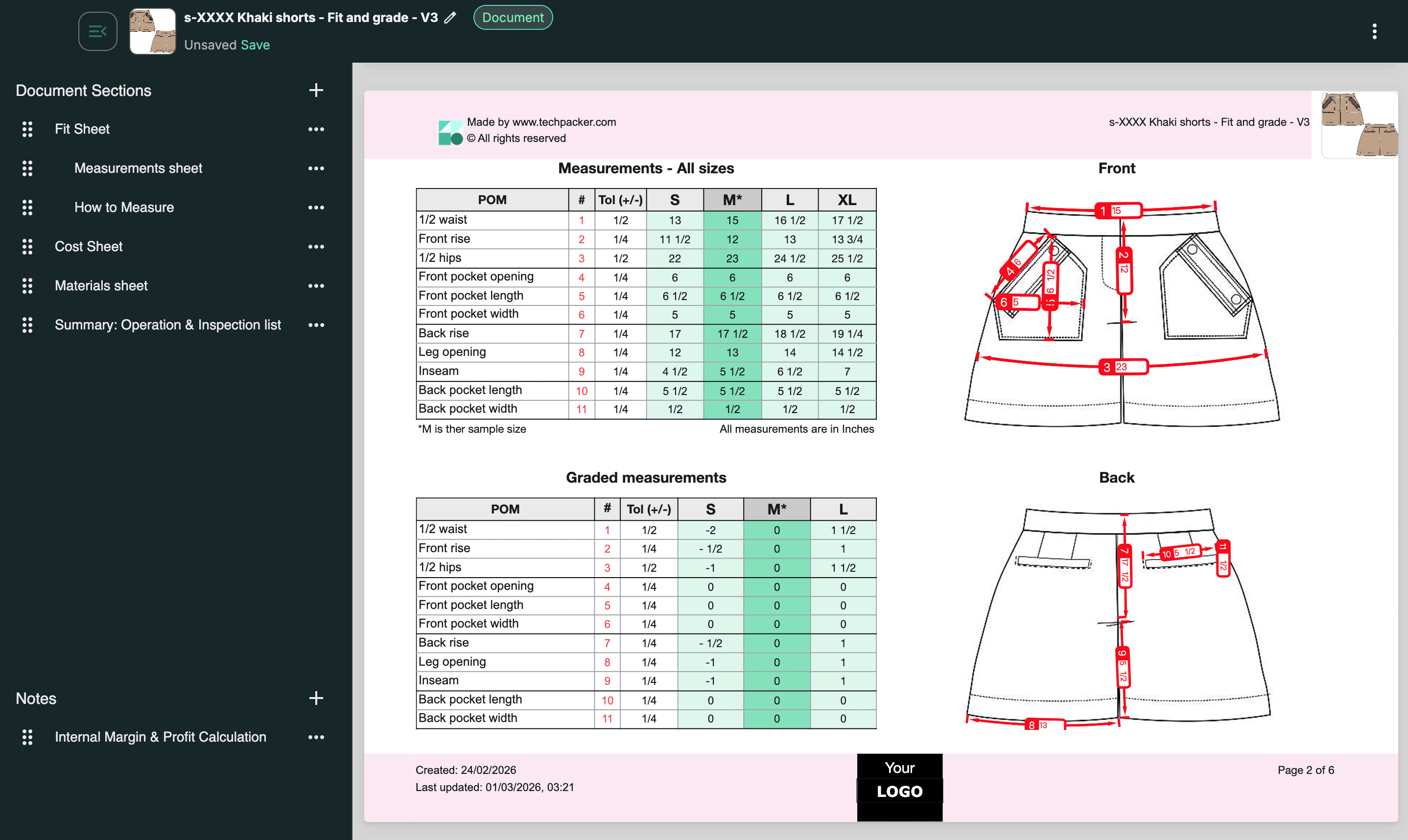
WYSIWYG Output: What the Factory Gets Is What You Built
In tech pack creation, WYSIWYG is the most underrated functional difference between Excel and purpose-built software.
In a content-block architecture, text fields, image blocks, and measurement tables each occupy a defined layout position. Resizing one block does not displace another. Adding a BOM row does not push the sketch out of frame.
The PDF export is identical to what you see on screen, no preview step, no margin check required. For designers who have spent time reconciling the gap between how a tech pack looks in Excel and how it arrives at a factory, this changes where creation time actually goes.
Local-First vs. SaaS: The Option Most Designers Don't Know About
Most designers assume "tech pack software" means a browser-based subscription, and that assumption rules out the category before the evaluation starts.
The dominant players in the space, WFX PLM and Backbone, are cloud-based systems priced for teams managing dozens of styles across multiple factories. They are not sized for a freelancer or a small brand running one seasonal collection.
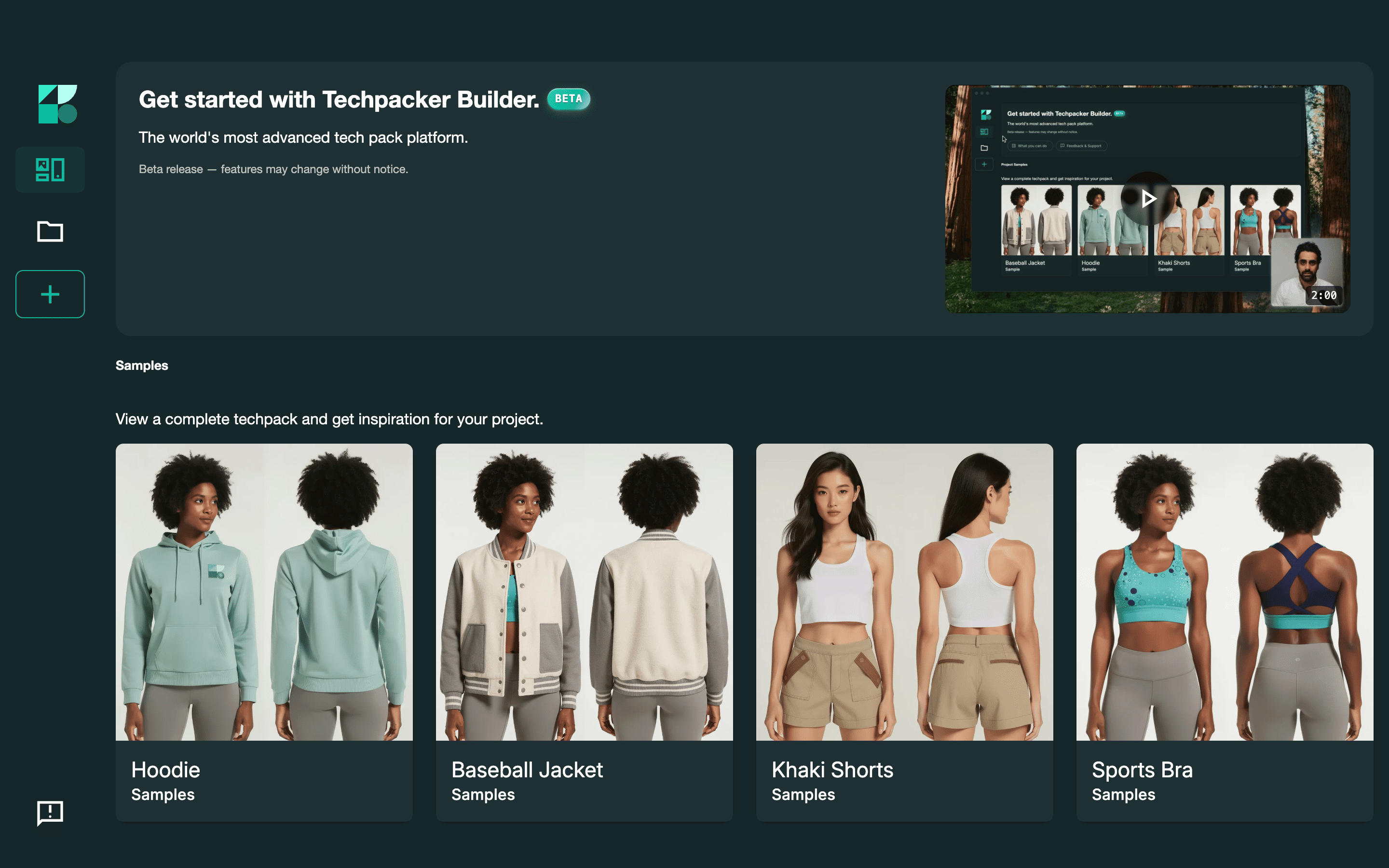
Techpack Builder is a free native desktop application for Mac and Windows. No account is required to build your first tech pack. Files are saved locally in a .tp format you own, and the app runs offline, which matters for factory visits in regions with restricted connectivity.
An optional account layer exists for cloud syncing, expanded template libraries, and collaboration. That layer is not required to create and export factory-ready tech packs from day one.
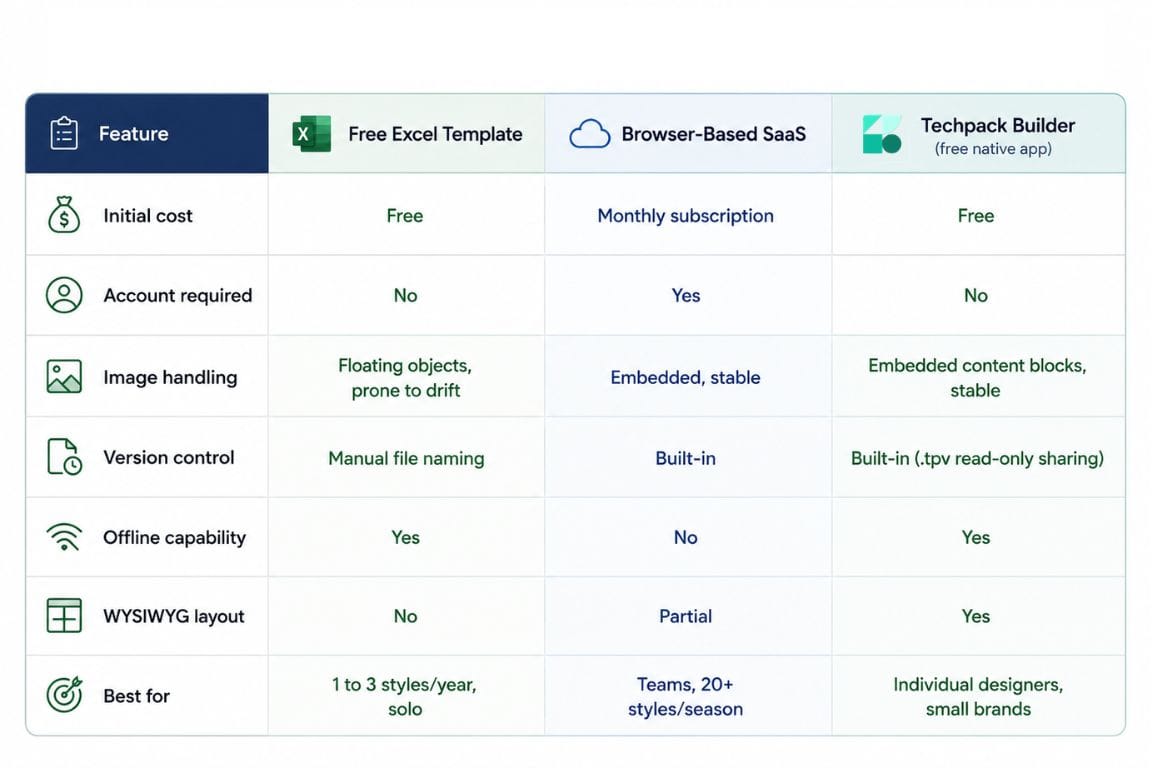
Free Excel Template vs. Built-In Software: Side-by-Side
Who Should Use Which
Stick With Excel Templates If..
- You produce one to three styles per year with no plans to scale volume
- You work solo with no factory handoffs or team collaboration
- Your factories are comfortable with your existing spreadsheet format
- The formatting overhead is not a significant time cost in your current workflow
Switch to Built-In Software Templates If..
- You are producing four or more styles per season
- You repeat style categories across seasons and want reusable templates
- You work with more than one factory and need consistent, reliable exports
- You are losing time to reformatting, version confusion, or image drift regularly
The cost of switching is lower than most designers expect. A free native app with no account requirement means the switch costs an afternoon, not a budget line.
Conclusion
The question this comparison comes down to is not which option costs less to download. It is which option costs less to use across an entire production cycle?
A free Excel tech pack template has a download cost of zero and a per-style formatting cost that most designers never explicitly track, because it gets absorbed into late evenings rather than appearing as a line item anywhere.
Built-in software templates shift that equation. The formatting overhead moves from your workload to the software's. For individual designers and small brands producing multiple styles per season, the recovered time is real and measurable.
If you want to test that difference directly, download Techpack Builder for free on Mac or Windows. No account setup, no trial period, no subscription. Build your next tech pack inside it and track the time yourself.
Other basic FAQ's
1. Can I use an Excel tech pack template if I'm sending to overseas factories?
Yes, but with one caveat. Excel layout rendering varies by software version and operating system, so a tech pack that looks correct on your machine may display differently at the factory, especially where images are involved. Converting to PDF before sending solves most of this.
2. What should a tech pack include that free Excel templates often leave out?
Most free templates cover measurements, BOM, colorways, and construction notes. What they rarely include is a structured revision history section and sample approval tracking. These matter when a factory returns a first sample, and you need to document what changed between iterations.
3. Does the file format matter to manufacturers, or just the content?
Manufacturers care about content clarity, not file format. The format question only becomes relevant at export: PDF output from Excel can shift depending on the viewer, while dedicated software exports are locked. When a factory receives tech packs from dozens of brands, a consistent, clean layout reduces clarification rounds regardless of what tool produced it.
4. At what point does switching from Excel to software actually pay off?
For most designers, the tipping point is around four to six styles per season. Below that, th time saved per tech pack does not justify the adjustment period. Above that, formatting overhead in Excel starts costing more hours than learning a new tool would have.
5. Is Techpack Builder suitable for footwear and accessories, or only apparel?
Techpack Builder is optimized for apparel but supports footwear, accessories, and home furnishings. The content block architecture is category-agnostic: image blocks, measurement tables, and text fields can be arranged for any product type. The built-in template library skews toward apparel, but the tool itself does not restrict what you build inside it.
6. What happens to my files if I stop using the software?
With browser-based SaaS platforms, your data lives on their servers, and export options vary by provider. Techpack Builder uses a local-first architecture: files are saved on your own machine in a portable .tp format. The software shutting down would not affect your ability to access or archive your work. It is the same ownership model as an .ai or .xlsx file.