

Contents
Click here for TL;DR
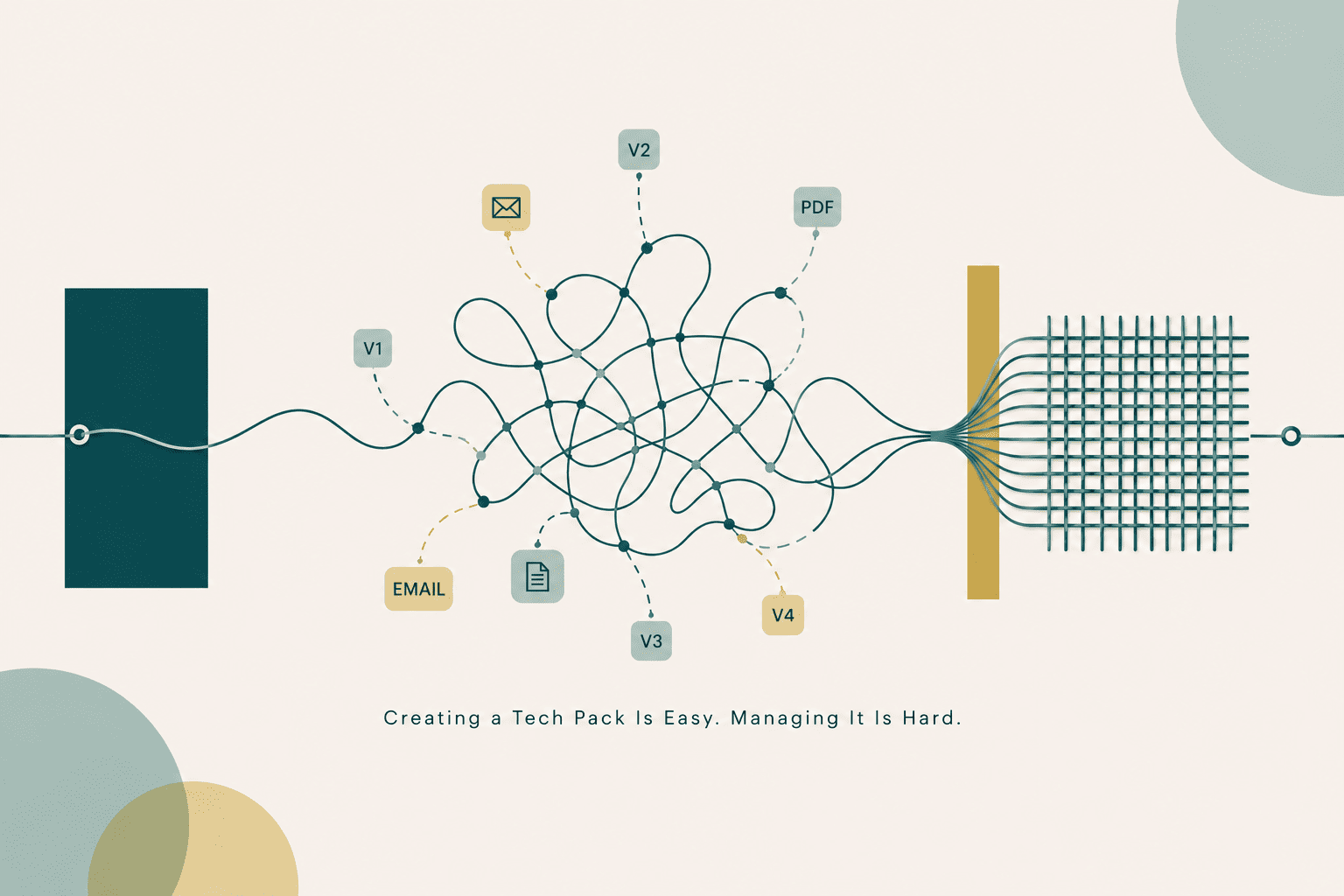
- Creating a tech pack is the easy part. Managing versions, updates, and factory sharing across a season is where most workflows collapse.
- Excel and Illustrator were never designed for tech pack management. They create version drift, formatting overhead, and fragmented files that cost hours per style.
- A complete, factory-ready tech pack requires seven components: a cover sheet, flat technical sketches, a measurement spec sheet, a bill of materials, colorways, construction notes, and packaging and labeling details.
- One-click PDF generation, separate editable and shareable file formats, and a version log are the three features that separate a functional tech pack workflow from a manual one.
- Offline capability is not optional for anyone who visits factories. Your tool needs to work without an internet connection.
- The gap between what your editor shows and what the factory receives is where most production errors begin. A WYSIWYG workflow closes that gap before the sample ever ships.
Every tech pack guide tells you what to include. Almost none of them tell you what happens AFTER you hit export. That's the part that actually breaks. The PDF goes to the factory. You update the spec. The factory doesn't know. A sample comes back built to a version you abandoned three rounds ago. You've been solving the wrong problem.
The real problem is not that designers don't know what goes into a tech pack. It is that the tools most designers use, Excel and Illustrator, were never built to manage a living production document.
They were borrowed for the job, and the friction from that mismatch compounds with every revision, every supplier email, and every style added to a seasonal collection.
This piece covers two things: what a complete, factory-ready tech pack must contain (kept brief, because if you are reading this, you likely already know the basics), and more importantly, how to generate and manage tech packs without the version chaos, formatting overhead, and communication drag that kills production timelines.
What a Factory-Ready Tech Pack Actually Contains
A complete tech pack has six basic components: a cover sheet, flat technical sketches, a measurement spec sheet with points of measure and tolerances, a bill of materials, colorways, and construction notes.
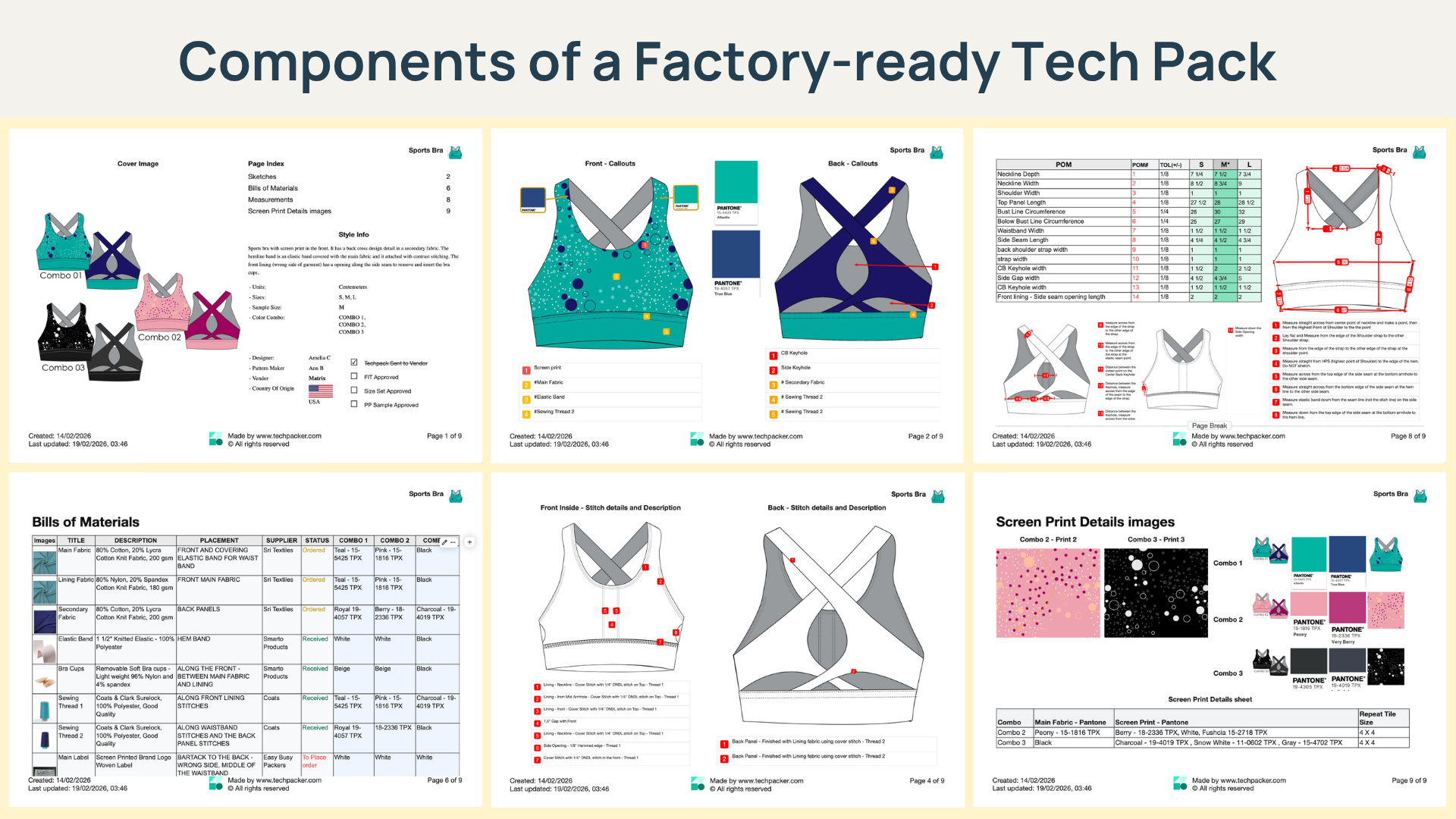
Every component missing from that list becomes a question your manufacturer emails back to you, and each back-and-forth adds days to your development cycle.
The Sections Most Designers Leave Incomplete
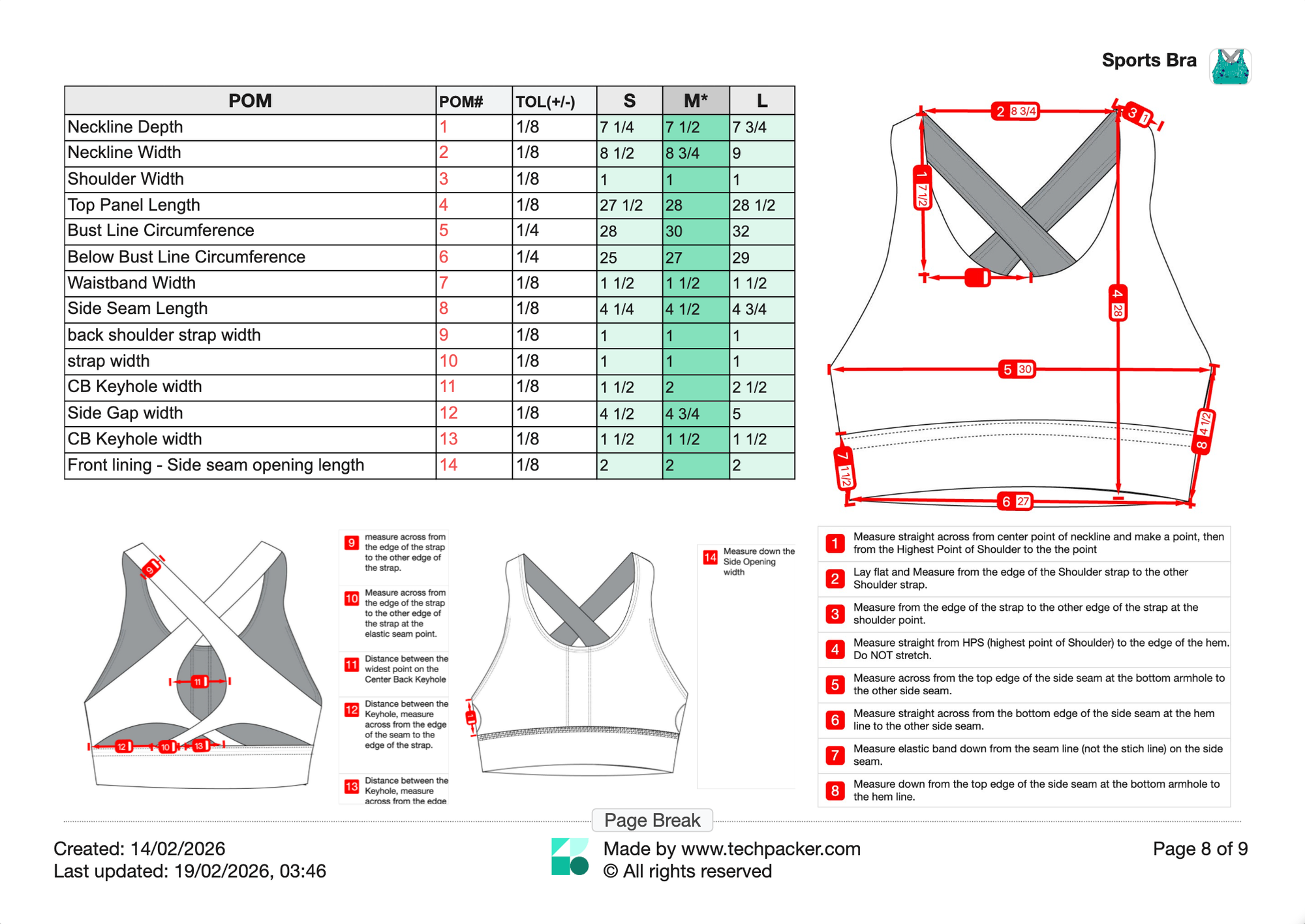
Three sections consistently show up incomplete or missing: construction tolerances, grading rules, and packaging and compliance notes.
Construction tolerances tell your factory how much variance is acceptable at each measurement point. Without them, the factory makes judgment calls, and those calls rarely match your intent. Packaging and compliance notes are the most neglected of all.
Fiber content, care symbols, and country-of-origin markings are legally required in most markets, and missing them can delay customs clearance or trigger retailer chargebacks.
The cost of incomplete tech packs shows up directly in sampling rounds
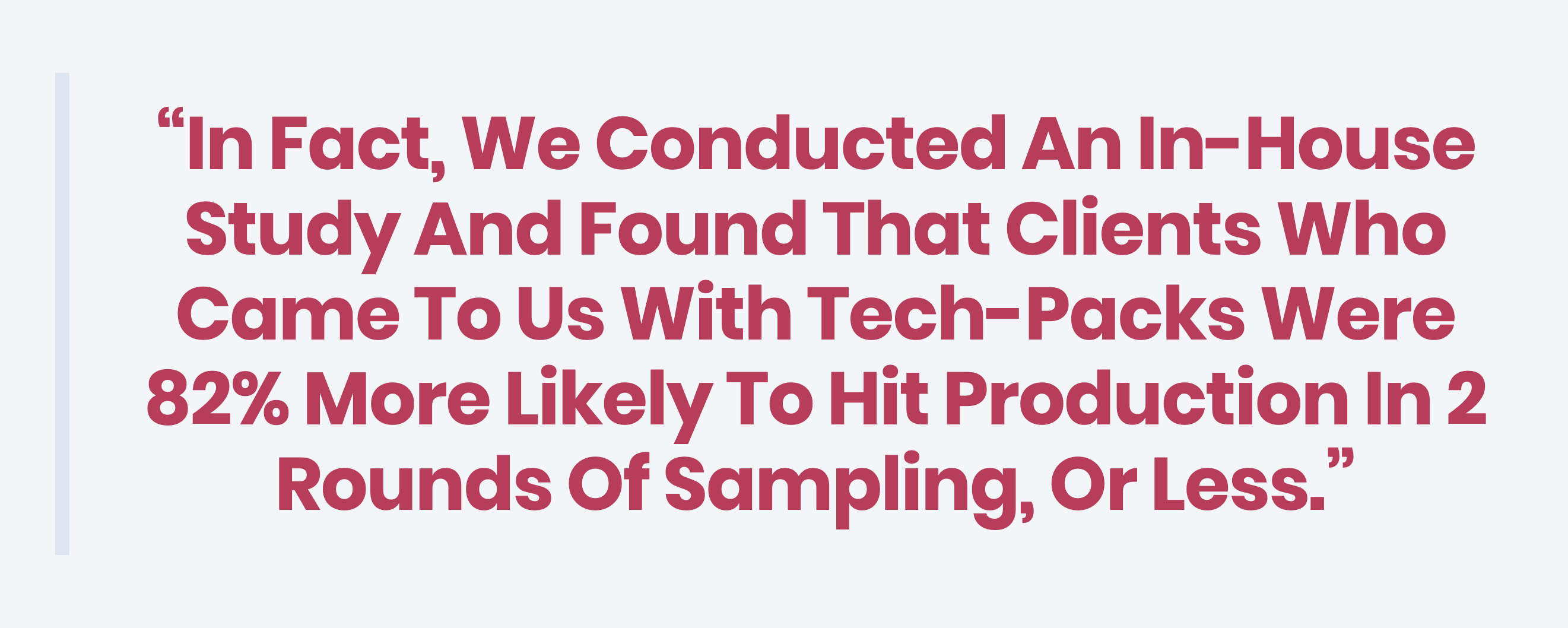
Research from White2Label Manufacturing found that brands submitting tech packs averaged fewer than two sampling rounds before hitting production, while brands without tech packs averaged more than four. Each additional round costs time and money that compound across a collection.
Spec Sheet vs. Tech Pack: What Is Actually the Difference?
A spec sheet is one page inside a tech pack. It lists garment measurements by size, along with tolerances and key points of measure. A tech pack is the full production document that includes the spec sheet alongside flat sketches, a BOM, colorways, construction notes, and packaging details.
Sending only a spec sheet and calling it a tech pack is a common mistake that leads to samples where the measurements are technically correct, but the garment is structurally wrong.
Why Generating Tech Packs Is Slow
The time cost is not in the content decisions. It is in the formatting. Most designers working in Illustrator or Excel spend the majority of their tech pack time on layout, cell formatting, and export prep, not on the specification decisions that determine whether the garment comes out right.
The Excel Problem: Static Data in a Living Process
Tech packs are revised documents. They get updated after every sample round, every supplier conversation, every QC note. Excel was built for financial modeling. It was not built to manage iterative product documentation.
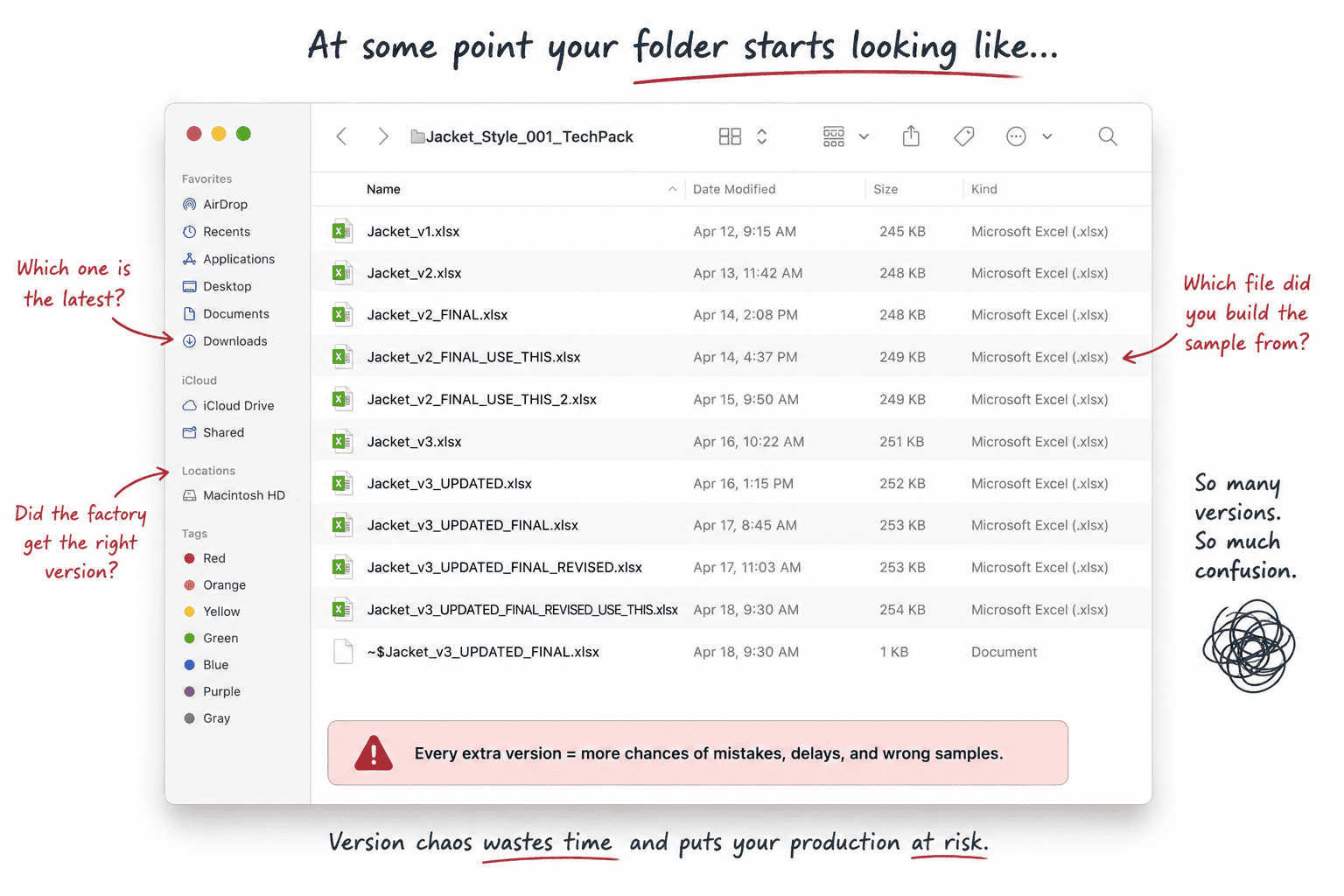
Every revision requires a re-export. Every re-export creates a new file. At some point, your folder starts looking like "techpack_v3_FINAL_USE_THIS.xlsx," and nobody's quite sure if that's actually the final version. (Spoiler: it isn't.)
The actual current version becomes ambiguous within days, and across a full seasonal collection, that ambiguity becomes a workflow tax that compounds with every style added.
If you're still debating between the two, this breakdown of Techpack Builder vs. Excel explains why spreadsheets eventually become a bottleneck for growing brands.
The Illustrator Problem: Design Software Doing a Spec Job
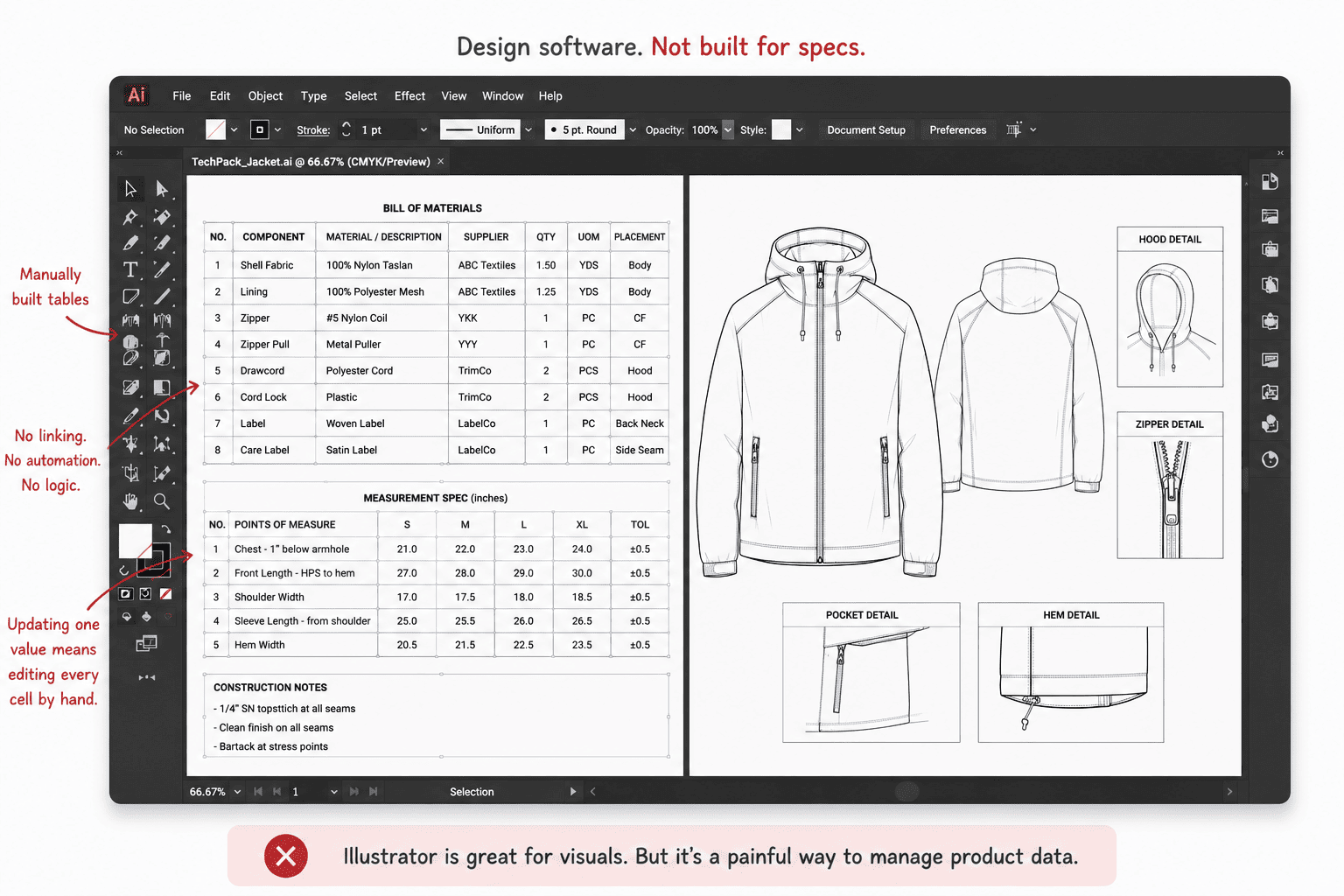
Illustrator produces excellent flat sketches. It does not produce structured product data. Bills of materials are text boxes. Measurement tables are manually formatted rectangles. Updating a single measurement across a graded size run means touching every cell by hand, with no linking, no logic, and no change history.
The PDF Problem: A Snapshot in a Live Process
A PDF is dead the moment you export it. Walk into almost any sample room, and you'll see a printed spec sheet taped above the cutting table. That printout isn't getting updated when you resend.
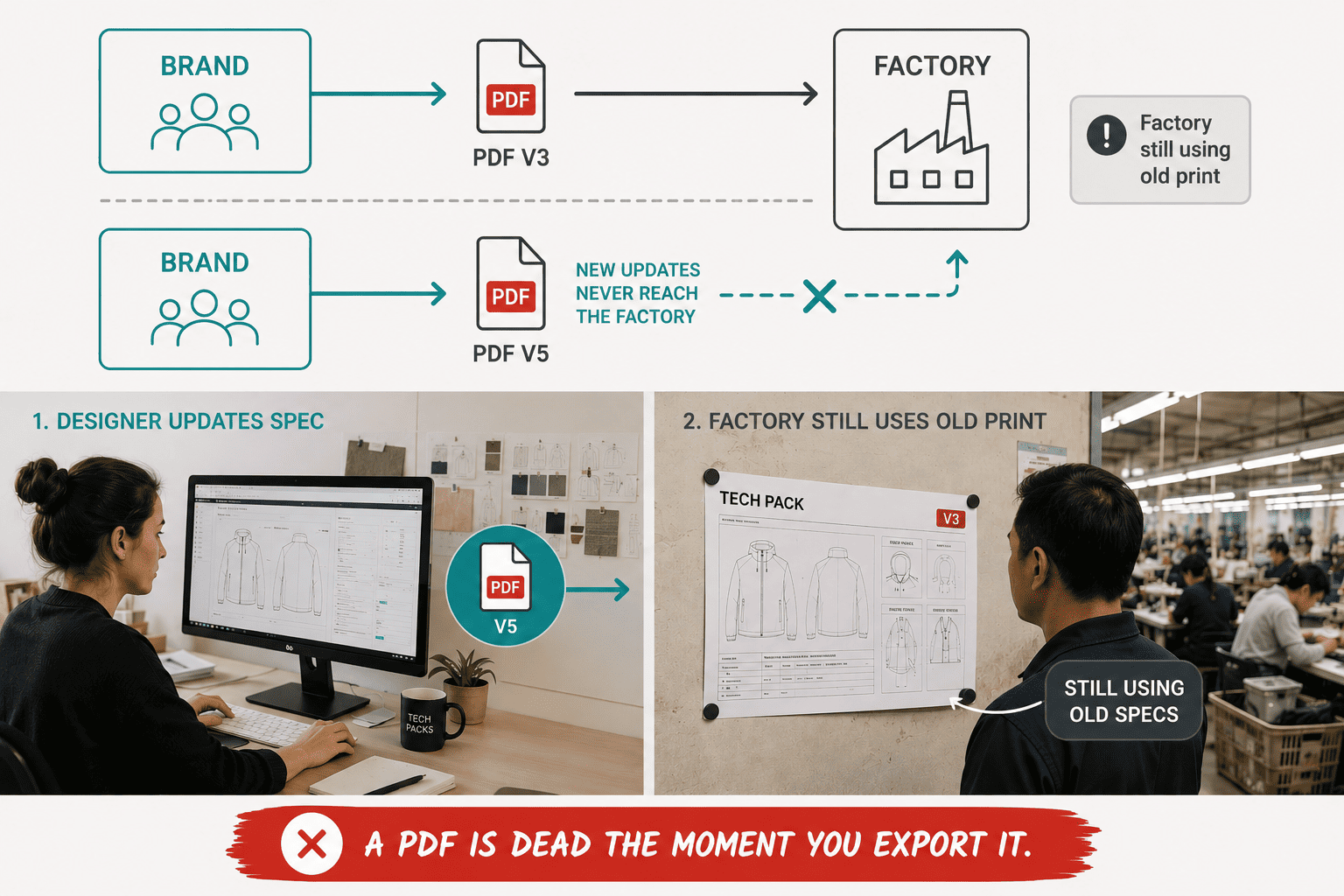
When you update the spec and resend, the old copy still exists in the factory email thread, the sample room printout, and the pattern maker's folder. The only way to sync the factory to your updated spec is to send another email and trust they discard the previous version. Most do not.
Why Managing Multiple Tech Packs Is Even Harder
Managing one tech pack is workable. Managing a 30-style seasonal collection across multiple suppliers, in overlapping sampling rounds, with simultaneous revisions, is a version control problem that has been misidentified as a design problem.
The Version Drift Problem
When you work across multiple styles simultaneously, versions diverge. A BOM updated in style A does not automatically update style B, even when both share 80 percent of the same trim. Designers reconcile this manually, comparing files side by side and transferring updates by hand. A trim change captured in three styles but missed in a fourth reaches the factory. The factory orders the wrong component. You discover it when the sample arrives.
What Happens When the Factory Receives the Wrong Version
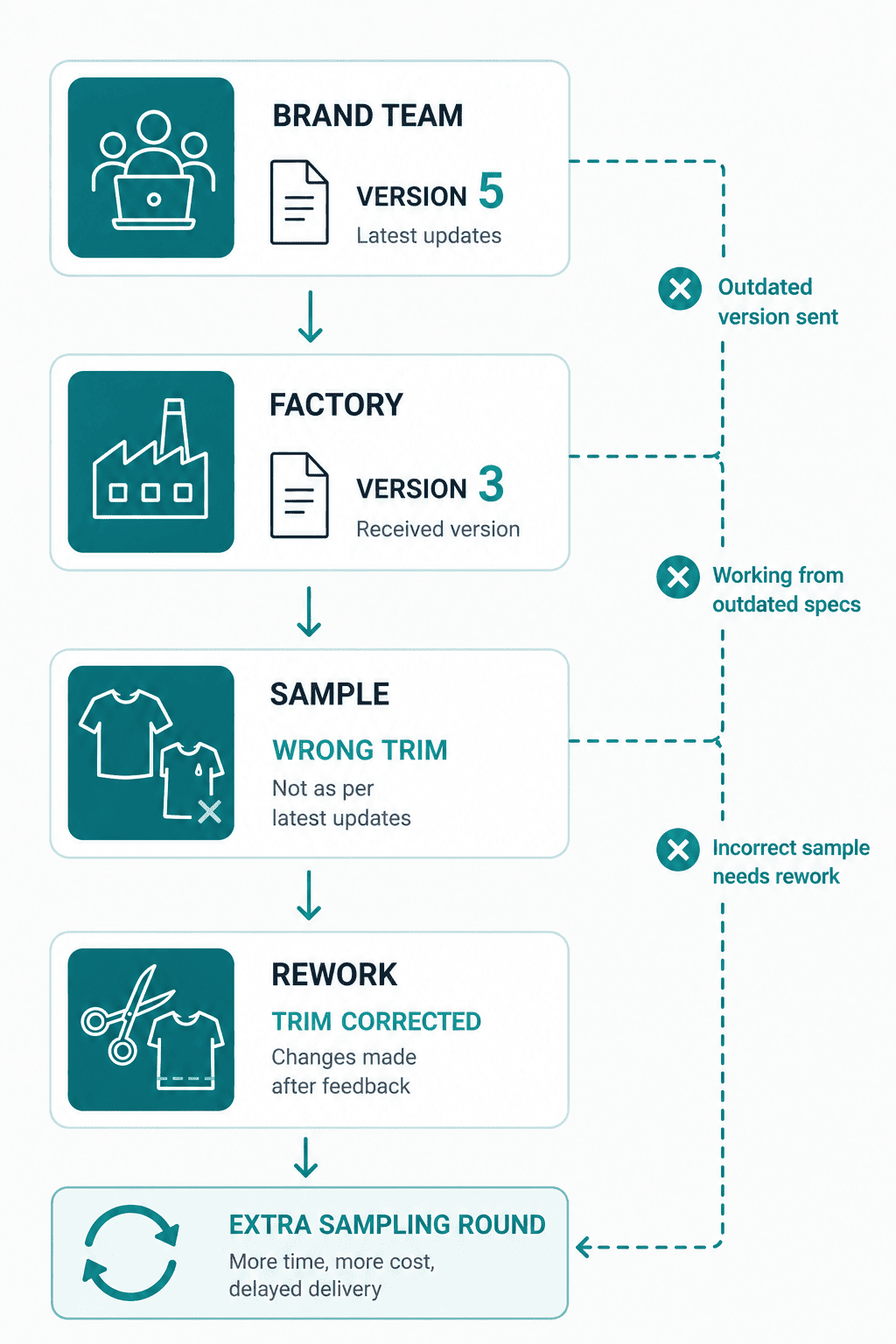
A factory receives version 3 of a jacket tech pack. The brand is working on version 5. The factory builds a sample to version 3 specs. The brand requests corrections that were already captured in version 4. An entire sampling round gets spent correcting changes that were already documented and simply never reached the factory.
We've seen this happen again and again, especially once you're managing multiple styles. When version tracking lives entirely in your email thread and file names, the wrong version reaching the factory isn't bad luck. It's just a matter of time.
How to Simplify Tech Pack Generation
The generation problem and the management problem share the same root principle: the tool you use to build a tech pack should produce the exact output the factory receives, without a translation step in between.
Build in a WYSIWYG Environment
WYSIWYG means the factory receives exactly what you built. No layout drift. No margin adjustments that shift your sketch out of frame when the file converts to PDF.
The gap between the editing view and the exported output is where formatting surprises happen, and those surprises create ambiguity on the factory floor that becomes a production error.
Use Content Blocks Instead of Spreadsheet Tabs
The most efficient tech pack structure is a block-based canvas where images, measurement data, BOMs, and construction notes share the same view, in the same layout that the factory will receive. A factory receiving a multi-tab Excel file has to mentally assemble the product from disconnected data sets. A block-structured document presents the product as a coherent whole.
Content blocks also allow you to reuse structural elements across styles. A BOM block from one jacket can be copied into a new style and updated, rather than rebuilt from scratch. Across a collection, that reuse is where meaningful time savings compound.
Generate the Factory File in One Step
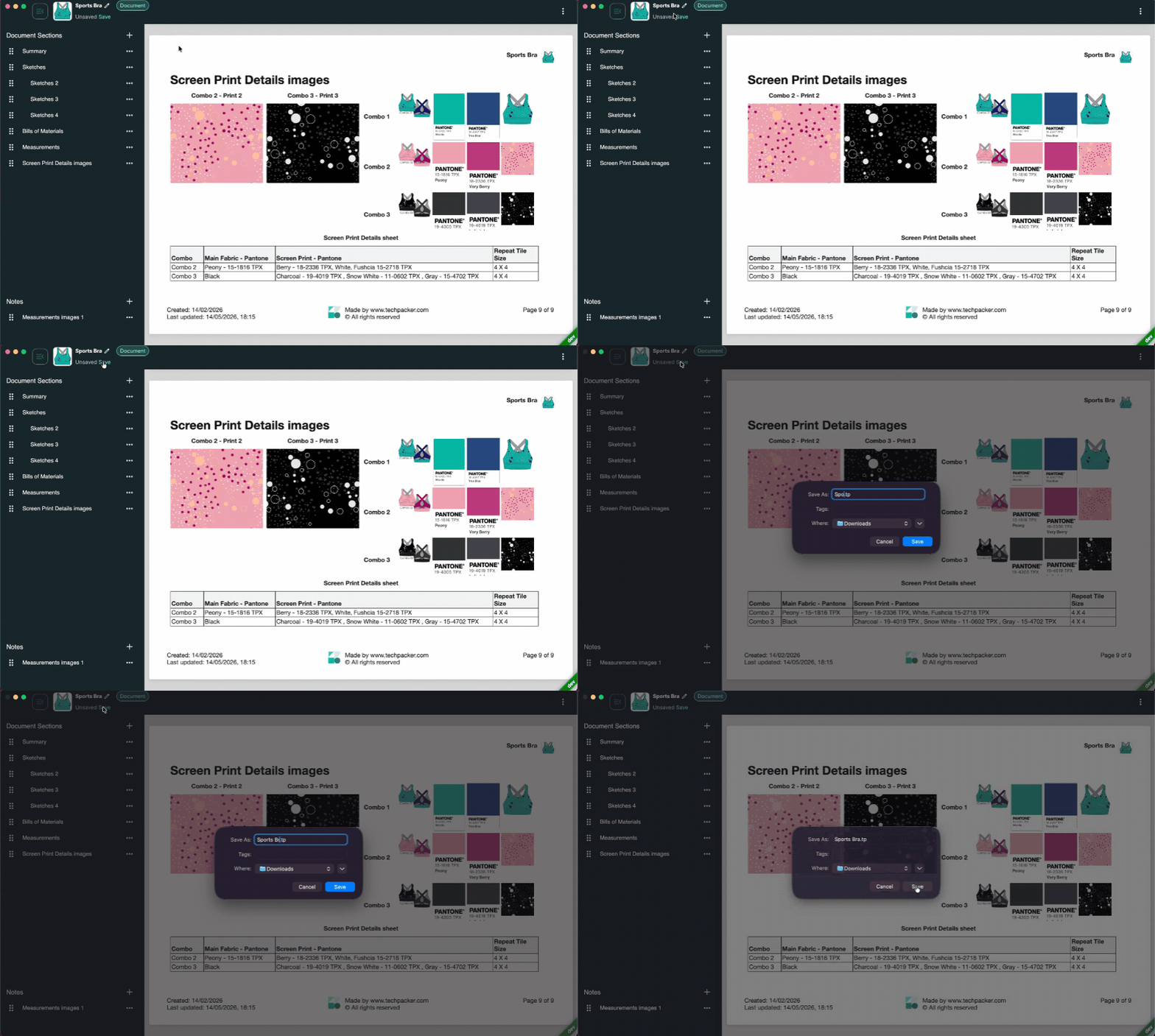
PDF generation should be a button, not a process. If exporting requires reformatting, adjusting page breaks, or manually re-entering data, the tool is consuming time that does not serve the product. One-click generation is the baseline that any tool replacing Excel or Illustrator should clear.
How to Manage Tech Packs Without Version Chaos
Separate Your Working File From Your Factory File
Your internal working file and the file you send to a factory should be different objects. The working file evolves continuously. The factory file is a read-only snapshot of a specific approved state. Treating them as the same file is the root cause of most version drift.
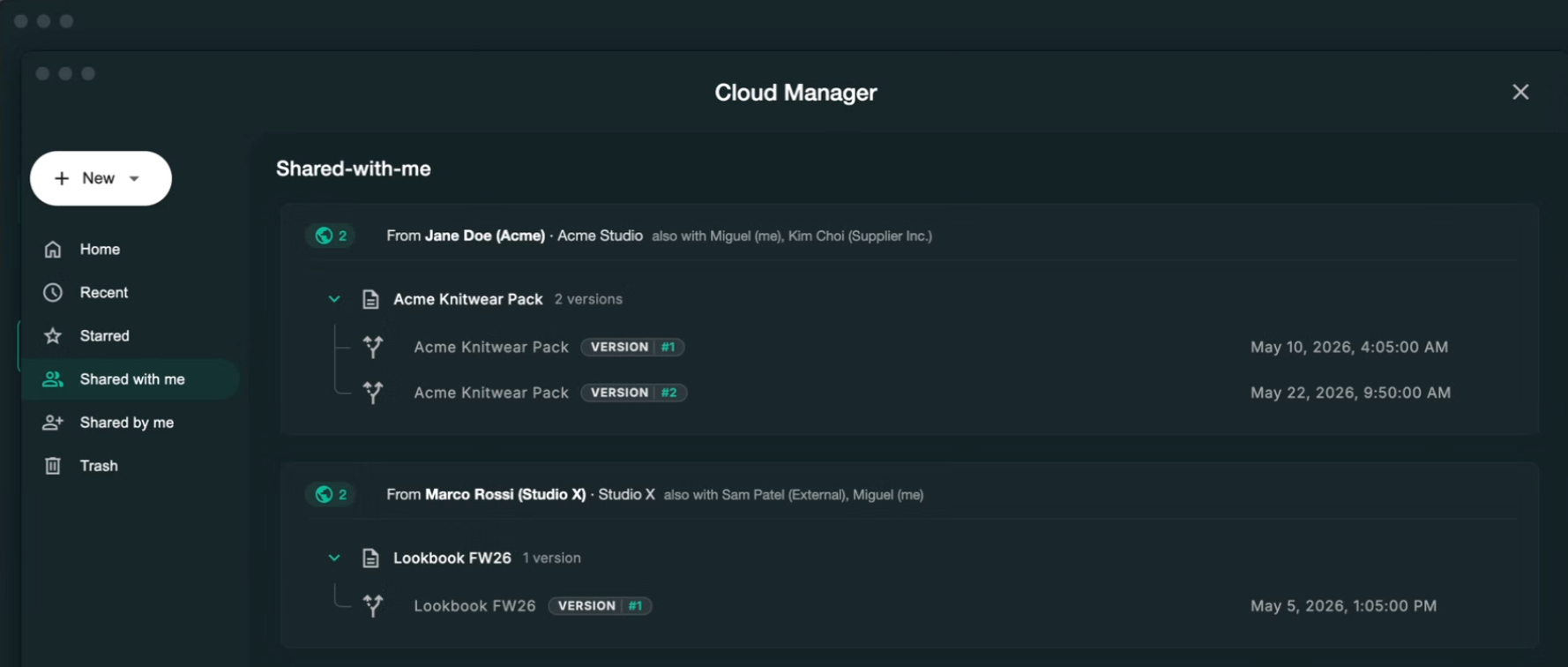
Dedicated formats that formalize this separation solve it structurally. The editable file stays in your studio. The read-only file goes to the factory. The factory cannot modify it, and you know exactly which version they have. Techpack Builder handles this through the .tp format for internal working files and the .tpv format for read-only factory shares.
Log What Changed and When
Every change after the first factory share should be logged: what changed, which section, and when. Without that log, answering the factory's question "what is different from the last version?" requires manually comparing two documents side by side.
A change log also functions as a production record: if a dispute arises over whether a spec was communicated before a bulk order was placed, the log provides a timestamped reference.
Work Offline
Factory visits in Guangdong, Vietnam, and Bangladesh frequently happen in facilities with limited or no internet access. If your tech pack tool requires a browser and a live connection, you cannot pull up the current spec during a fitting review on the factory floor.
A local-first, offline-capable tool is a practical requirement for any designer who visits factories in person. The spec lives on your machine. The app runs natively. You can review any style without needing to find a working WiFi network in a factory in Shenzhen.
Techpack Builder: What It Is and Who It Is For
Techpack Builder is a native desktop app for Mac and Windows that combines visual layout with structured product data in one place. It is built for fashion designers, freelance technical designers, and emerging apparel brands who want to replace the Excel-plus-sketch-tool stack without adopting a full PLM system.
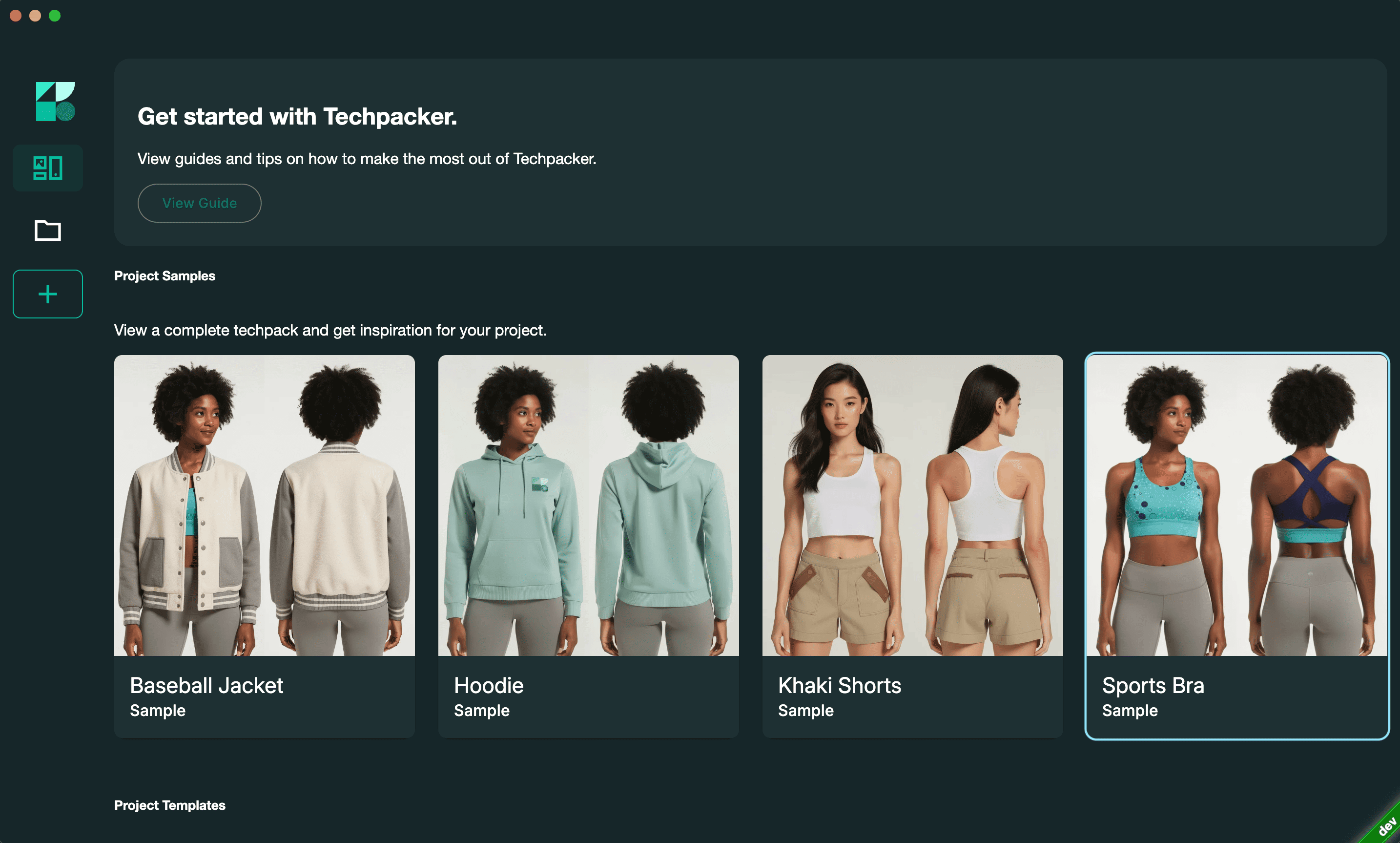
The architecture is local-first. Your work stays on your machine. No browser lag, no cloud dependency for core workflows, and no sign-up required to start building. Key features include:
- WYSIWYG workflow: what you see in the editor is exactly what the factory receives
- One-click PDF generation for factory-ready output
- Drag-and-drop imagery and sketch annotation directly in the app
- Free professional templates for apparel, footwear, accessories, and home furnishings
- .tp format for editable working files and .tpv format for read-only factory shares
- Version logging so you know what was sent, to whom, and when
For brands that outgrow individual tech pack management and need end-to-end product lifecycle management, reporting, and ERP integration, PLMBR is the graduation path. Techpack Builder handles creation and management. PLMBR handles the full product data layer when scale demands it.
Conclusion
The tech pack workflow does not fail at the creation stage. It fails in the space between creation and the factory: the version that was not updated, the PDF that reached the wrong contact, the sample built to a spec that was superseded two rounds ago. That failure is structural, not a matter of designer carelessness.
Simplifying tech pack generation is a formatting problem. A WYSIWYG environment and one-click export solve it. Simplifying tech pack management is a systems problem. Separate file formats, a change log, and offline reliability solve it.
You got into this work to make things. Somewhere between the Excel files and the email threads and the folder full of 'FINAL_USE_THIS' versions, that got harder to remember.
It doesn't have to be that complicated. Download Techpack Builder free for Mac and Windows, no account needed, no setup friction. Open a template, build your first style, send your factory a .tpv.
Then get back to the part that actually matters.
Other basic FAQ's
1. How long does it take to make a tech pack from scratch?
A basic tech pack for a simple garment typically takes four to eight hours when built from scratch in Excel or Illustrator, and most of that time is formatting, not content. Using a template-based, block-structured tool brings that down significantly for repeat styles, since BOM templates and measurement tables carry over from previous styles rather than being rebuilt each time.
2. Can I create a tech pack without Adobe Illustrator?
Yes, and many professional technical designers do. Illustrator is common for flat sketch creation, but any tool that lets you import accurate vector or raster sketches and annotate them clearly can work.
The requirement is sketch accuracy and legibility, not the specific software. The BOM, spec sheet, colourways, and construction notes can all be produced in a purpose-built tech pack app without touching Illustrator.
3. What is the difference between a spec sheet and a tech pack?
A spec sheet lists garment measurements by size, along with tolerances for each point of measure. A tech pack is the full production document that includes the spec sheet alongside flat sketches, a bill of materials, colorways, construction notes, and packaging details. The spec sheet tells the factory how to measure the finished garment. The tech pack tells them how to build it.
4. How do you manage version control for tech packs across a full collection?
The most reliable approach has three components: separate editable files from shareable files, log every change with a description and date, and never overwrite your working file when sending an update to a factory.
File naming conventions like StyleCode_v4_2025-09-15 handle the tracking layer when a dedicated log is not available, but a structured tool that separates file types solves the problem at the root.
5. Why does my factory keep building samples to the wrong spec?
This almost always comes back to version control. The factory has a copy of a previous version and does not know a newer one exists. The fix is structural: stop sending editable files or raw PDFs without version labels, and move to a workflow where every file sent to a factory is a read-only, versioned document.
The factory should always be able to tell, from the file itself, which version they are working from and when it was shared.