
Contents
Click here for TL;DR
- Sampling errors that trace back to incomplete or unclear specs are responsible for many product development delays in garment production. The tool you use to create your tech pack directly affects that number.
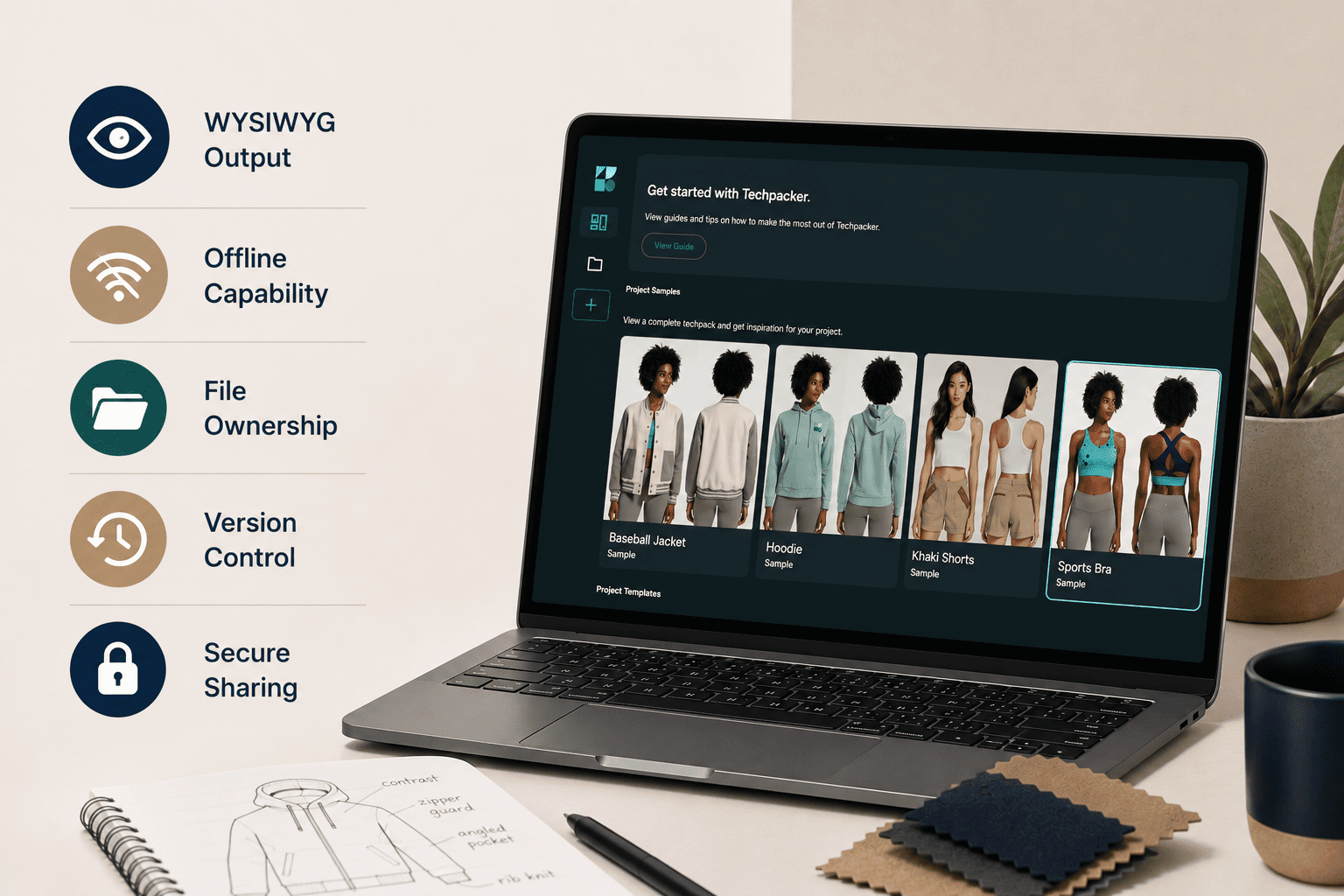
- Tech pack software features are not all equal. WYSIWYG output, offline capability, local file ownership, version control, and secure sharing are non-negotiable. 3D rendering and ERP sync are features most small brands will never need.
- Cloud-only tools create a hard dependency: no internet means no work. For designers who visit factories in restricted-access zones, offline capability is a functional requirement.
- The file format your software exports determines what the factory actually receives. A structured, purpose-built format is more precise and tamper-resistant than a standard PDF.
- Version control in tech pack software is not a collaboration feature. It is a logged, read-only record of what you sent, to whom, and when.
- The right tech pack software removes the need to stitch together Illustrator, Excel, and email. A single-canvas architecture is a foundational choice, not a convenience upgrade.
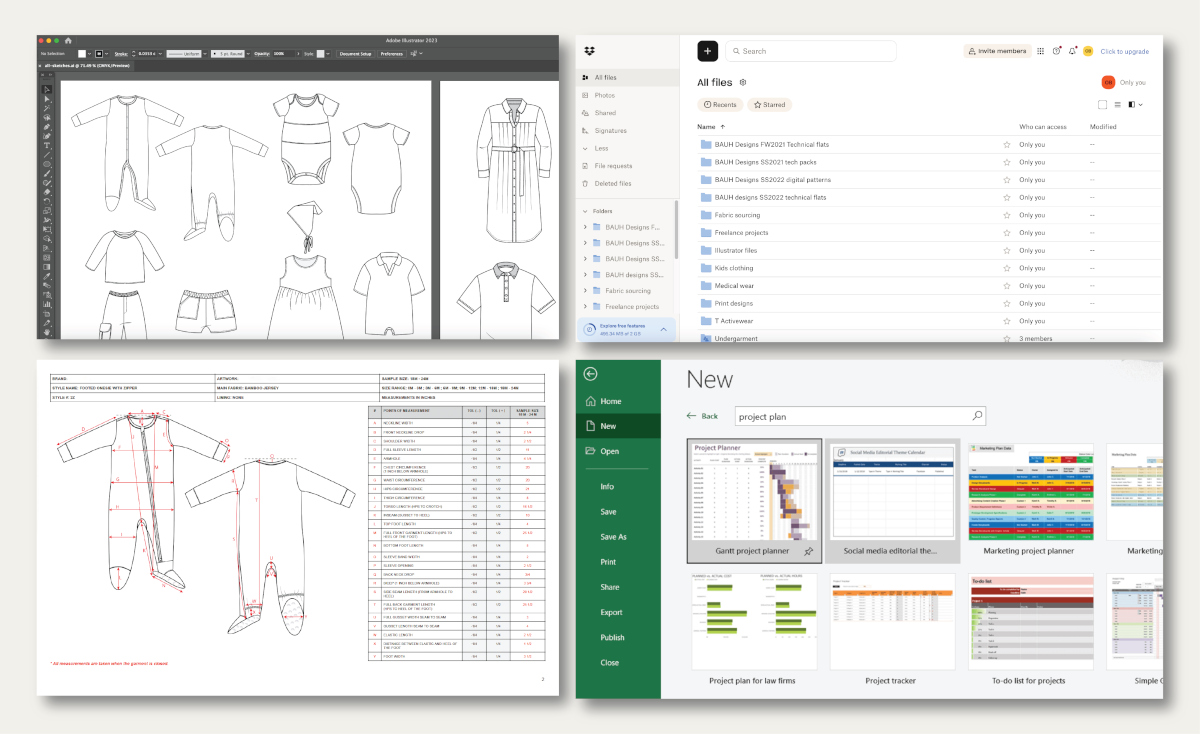
You are probably managing your tech packs across at least two applications right now. A flat sketch lives in Illustrator. The measurement spec sheet lives in Excel. The BOM is in a different Excel tab, or possibly a Google Sheet.
Every time you send a new version to a manufacturer, you manually reconcile all three, export a PDF, and hope the formatting survives the export.
Most designers searching for dedicated tech pack software start by comparing pricing tiers and checking review scores. They pick the tool with the best-looking interface.
The features that actually determine whether a factory produces an accurate first sample, specifically WYSIWYG output, offline capability, file ownership, and version control architecture, are either buried in marketing copy or missing from the comparison entirely.
This article covers which features are load-bearing and which are optional extras. After reading, you will be able to run a concrete evaluation test against any tool you are considering and make a decision you will not need to revisit six months later.
Why the Feature Lists on Most Review Sites Are Missing the Point
Most tech pack software reviews list 3D rendering and one-click PDF export as items of equivalent importance. They are not. One determines whether the factory can visualize a garment before sampling. The other determines whether the factory receives a document with layout drift and ambiguous measurements, or a clean, factory-ready spec.
The problem with treating all features as equal
A feature list that ranks "real-time collaboration" alongside "WYSIWYG export" without distinguishing their respective impact on factory output is not useful. Collaboration affects how your team works together. WYSIWYG export affects whether the factory builds the right garment. These are different problems, and evaluating them as equivalent leads designers to optimize for the wrong thing.
What a factory actually needs from your tech pack
A factory uses a tech pack to answer three questions: what does the garment look like (flat sketches, design details, colorways), what is it made of (a complete bill of materials covering every fabric, thread, button, and label), and how is it constructed (measurements, grading, seam types, stitch counts).
Without accurate answers to all three, the factory makes assumptions. In garment manufacturing, assumptions produce wrong samples, and wrong samples produce costly revision rounds. The software features worth prioritizing are the ones that directly improve the accuracy of those three answers.
The Non-Negotiable Tech Pack Software Features
These are the features that determine whether your factory documentation is reliable. If a tool does not satisfy all five of these, it is not ready for professional production use.
WYSIWYG output (what you build is what the factory gets)
WYSIWYG, which stands for "What You See Is What You Get," is not a design philosophy borrowed from publishing. In tech pack software, it means the document the factory opens after export is pixel-identical to the document you built in the editor. Tools that separate the design view from the export view introduce formatting drift. That drift becomes ambiguity. Ambiguity in garment specs results in a wrong sample.
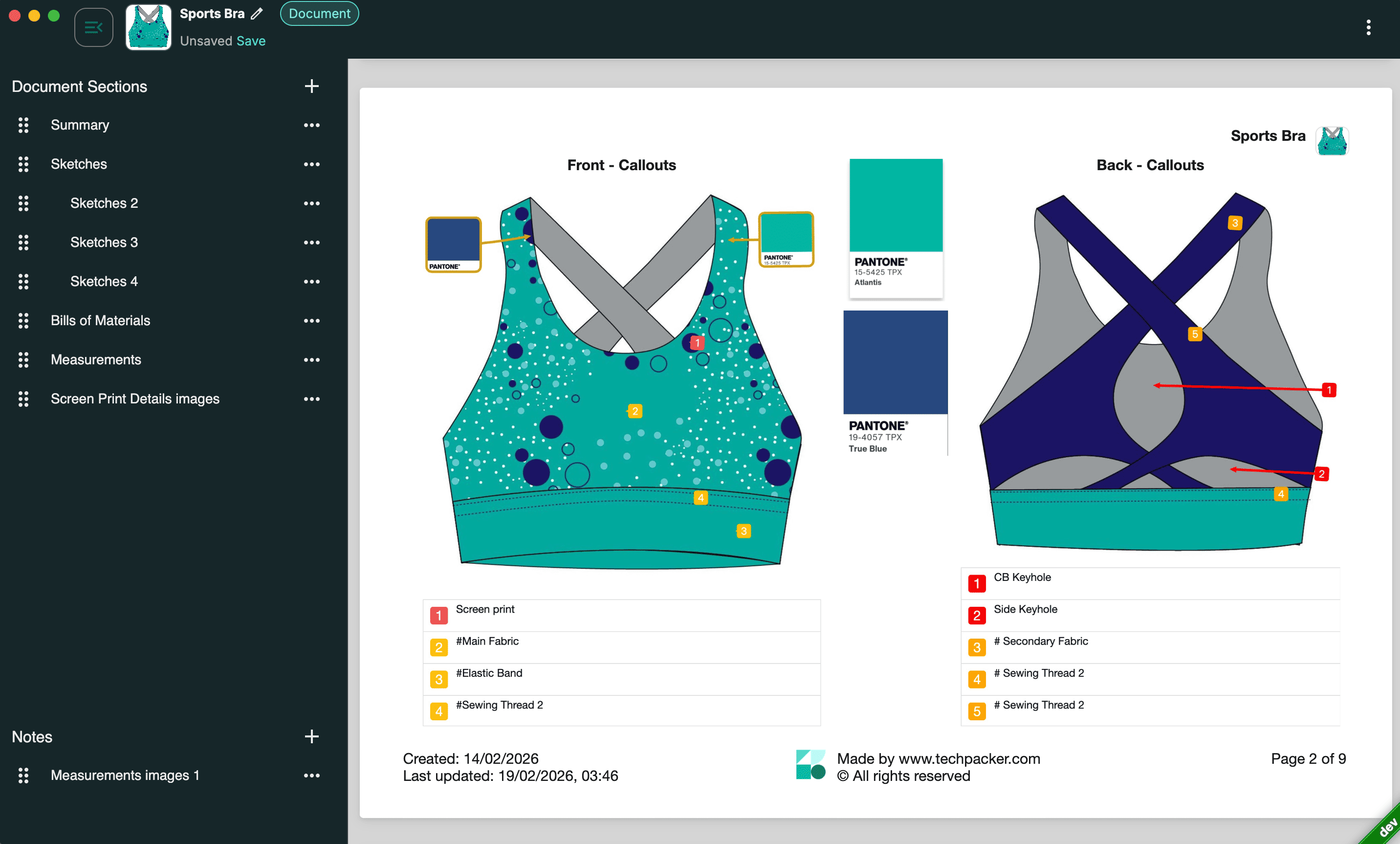
Techpack Builder is built on this principle. The editor view and the exported output are identical by design, so what you send to the factory is exactly what you built, no formatting surprises on their end.
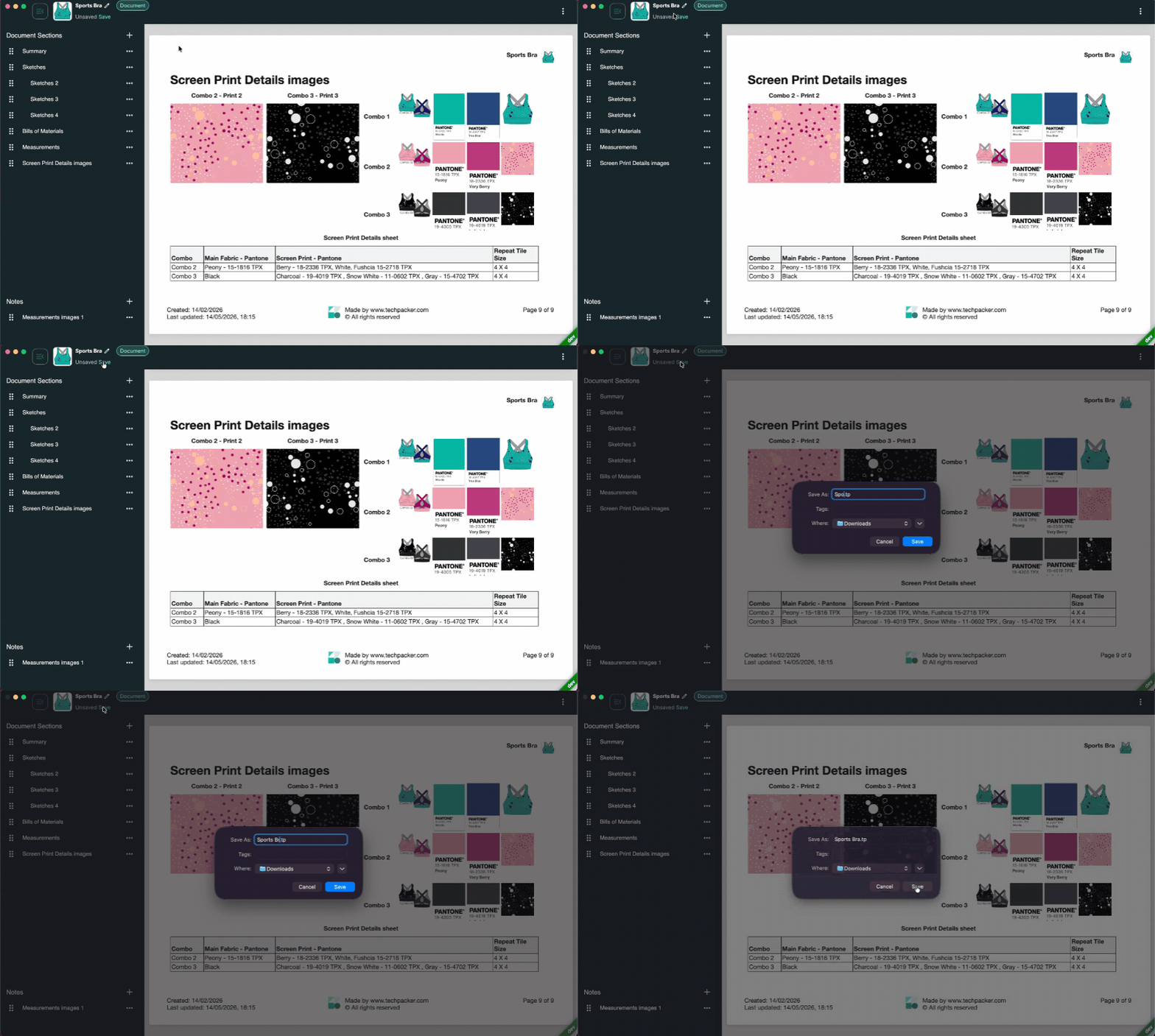
Before selecting any tool, build a multi-section tech pack with images, annotation callouts, and a measurement grid. Export it as a PDF, then place the PDF and the editor view side by side and compare them line by line. If any element has moved, that tool has a WYSIWYG failure point.
Visual layout that combines images and data in one workspace
The Illustrator plus Excel workflow forces a reconciliation step before every factory handoff, and that step is where errors enter. A single-canvas tool that handles image blocks (flat sketches, detail callouts, color references) and structured data blocks (measurement spec sheets, BOM tables) in the same workspace eliminates that step entirely.
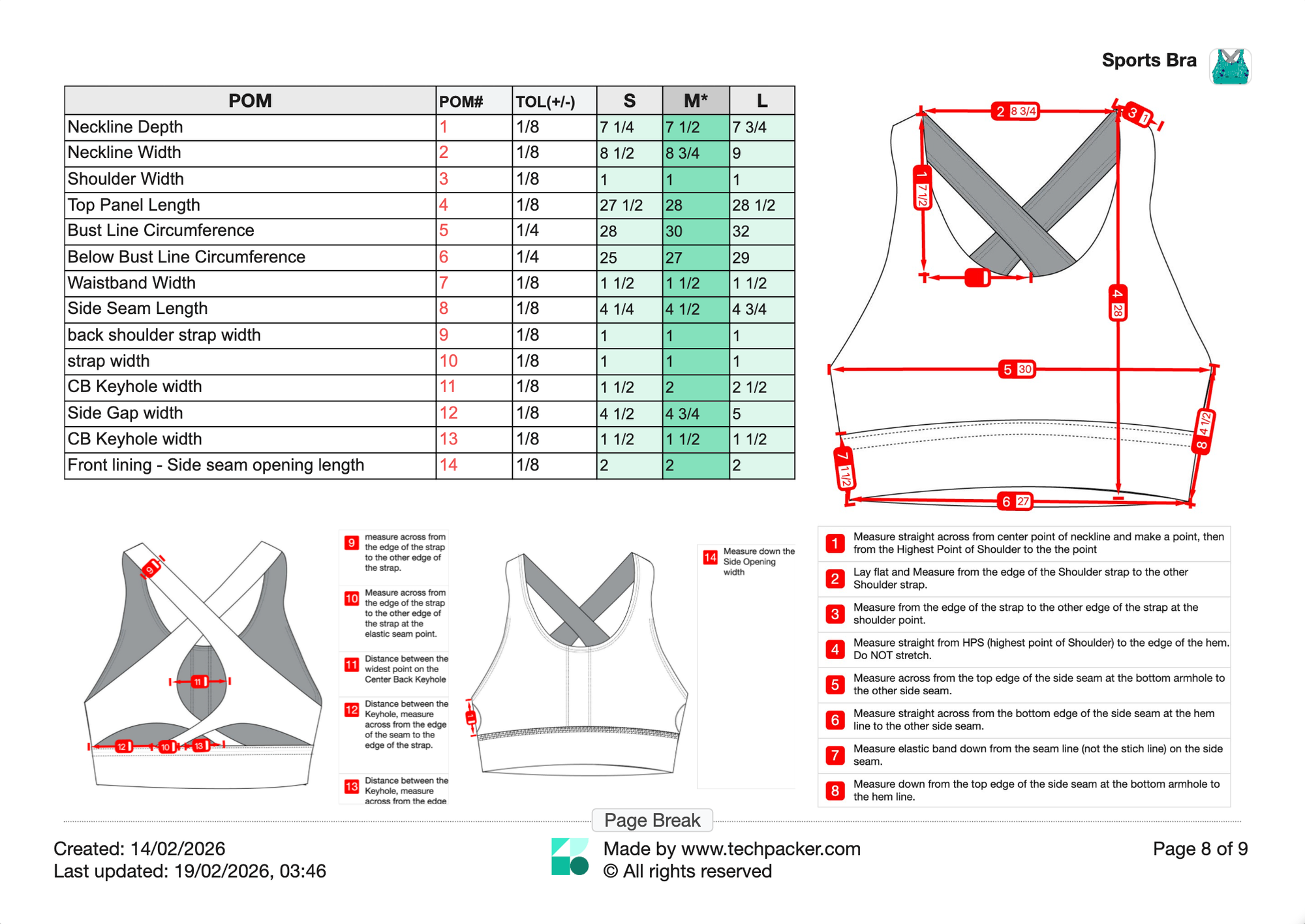
The question to ask of any tool: can you place an annotated sketch next to a size grid on the same page without exporting from one application and importing into another? If the answer requires a workaround, the architecture is not single-canvas.
One-click PDF export that does not reformat your document
PDF export is standard. What is not standard is whether the export is accurate. Some tools generate PDFs that reflow text, drop images, or shift column widths relative to the in-app view. The diagnostic is simple: export a complex, multi-section tech pack and compare it element by element with the editor view. A mismatch at this step disqualifies the tool regardless of its other features.
Version control that logs what you sent and when
Version control in most cloud tools means revision history on a shared document. In tech pack software, it needs to mean something more specific. A logged, read-only snapshot of a tech pack, created at a defined moment, shared with a specific manufacturer, with a verifiable record attached, is what protects you in a production dispute. It also prevents manufacturers from working from a file you have since updated.
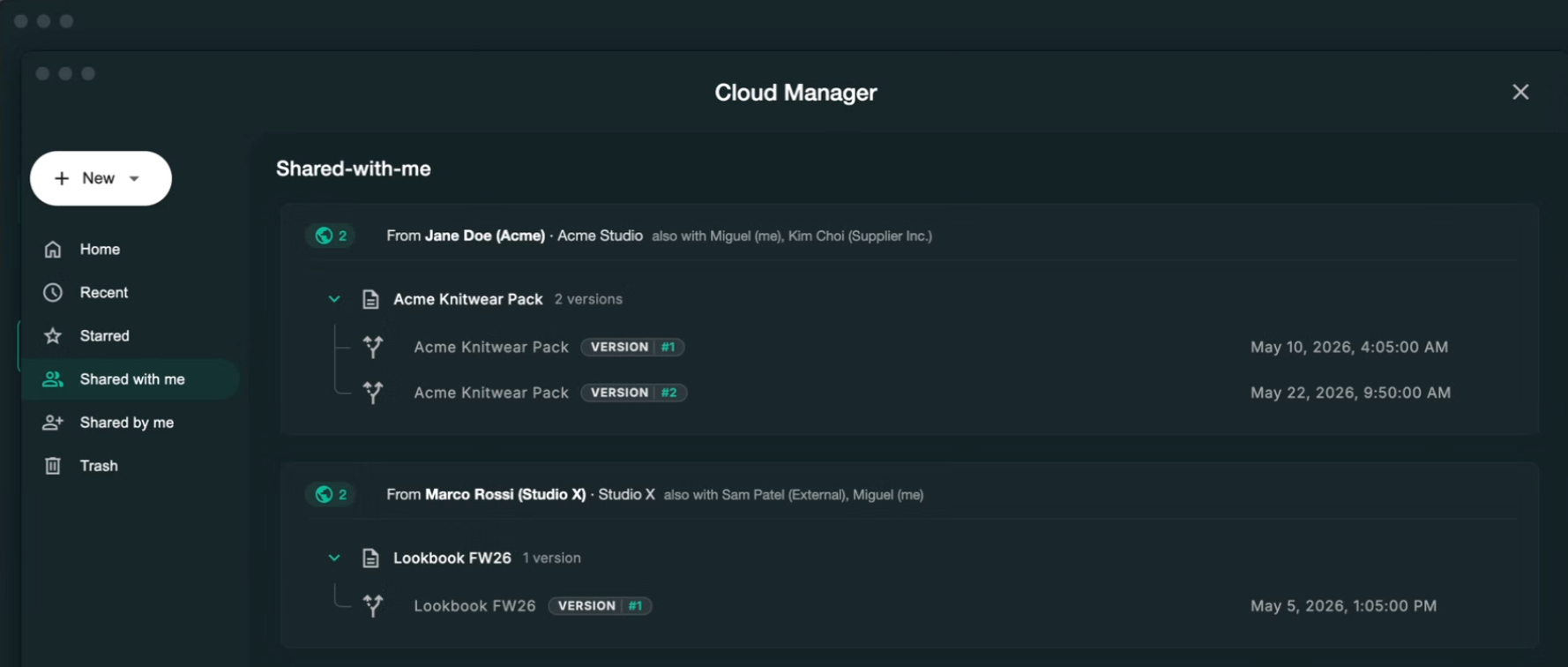
Look for read-only external sharing with a version log, not just a shareable link. The distinction between those two is significant: one creates a record, the other creates a copy.
For a closer look at how construction details translate into sample accuracy, see how tech packs improve garment fit quality.
Secure sharing that restricts editing by the recipient
A standard shareable PDF allows the recipient to annotate, modify, or forward your document. A purpose-built sharing format is read-only by design, cannot be altered by the recipient, and creates a sender-side log of when and what was shared. For brands sending specs to new manufacturers for the first time, this is a legitimate data protection concern, not a theoretical one.
Features That Separate Capable Software from Reliable Software
These features do not show up in most reviews, but they are what determine whether your software performs on a factory floor rather than just in a browser tab.
Offline capability: the factory floor feature has no review mentions
Offline capability is a practical necessity for designers who travel to factories in regions with restricted or unavailable internet access. A local-first tool runs its core workflow entirely on your machine. No connection required to open a file, edit a spec, or review a previous version.
Cloud-based tools with no offline mode stop functioning at the exact moment they are needed most: on a factory floor, mid-review, when the connection drops. Techpack Builder runs as a native desktop application on Mac and Windows, so the full editing workflow is available on your machine regardless of connectivity.
The diagnosis is simple: disconnect from the internet and try to open and edit a file. If the software fails, it has no offline capability, and that is a legitimate disqualifier for many designers.
Local file ownership: what happens to your work if you cancel
The question of who controls your files in a cloud-based tool is not philosophical. When a subscription lapses on some platforms, file access is restricted until payment is renewed. Others store files in proprietary cloud formats that cannot be cleanly exported to a usable format.
Techpack Builder saves your work locally in a portable file format you own outright, same model as an Illustrator (.ai) or Excel (.xlsx) file. Your files exist on your machine, independent of the vendor's servers, pricing changes, or product decisions. Cancel a subscription, and your work stays with you.
Template library coverage for your specific product category
A template library is only useful if it covers the category you design in. Generic templates built for woven tops will not include the correct spec fields for footwear, accessories, or home furnishings.
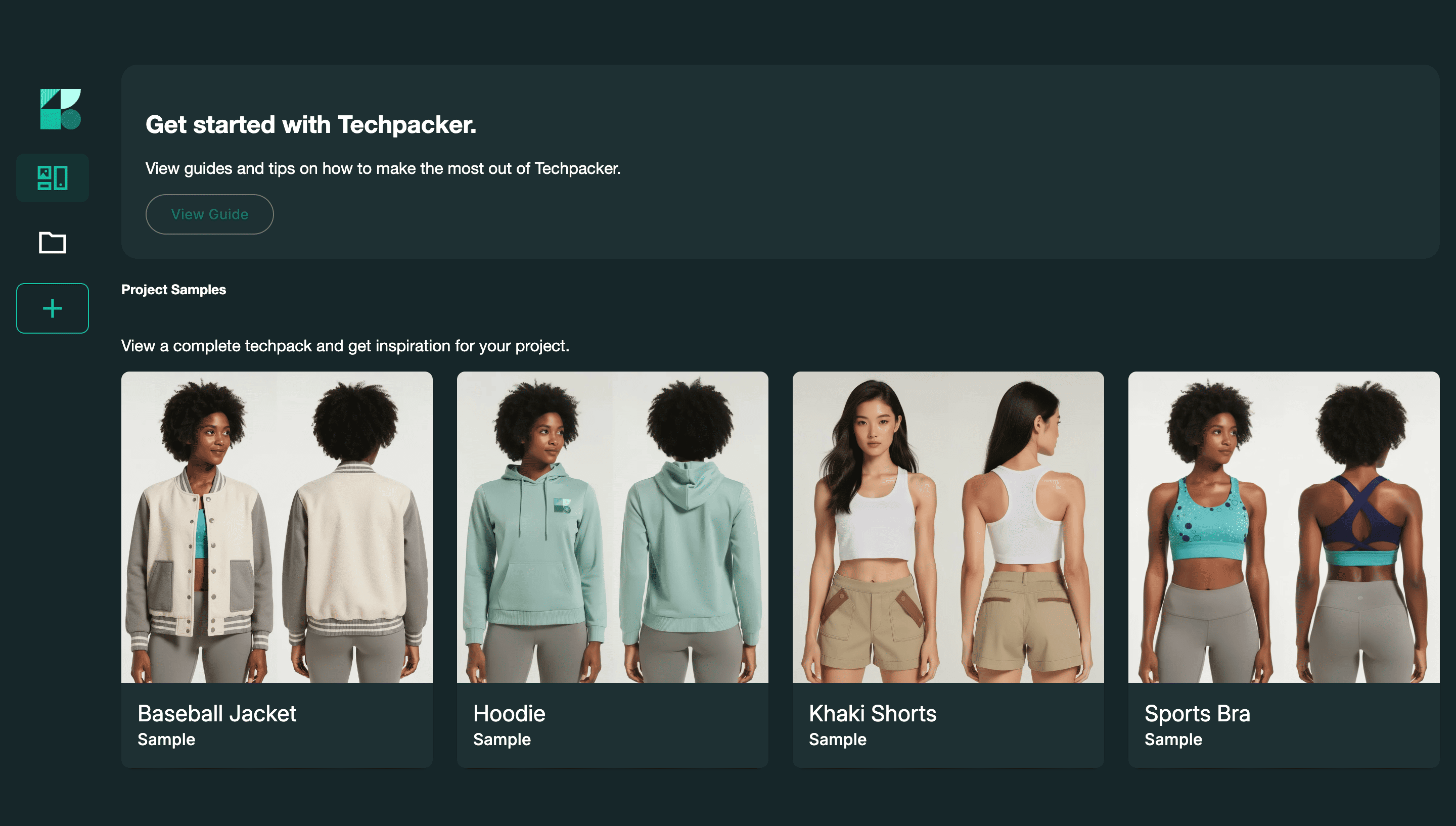
Before selecting a tool, confirm that pre-built templates exist for your product category and that those templates include the relevant fields already populated. A footwear tech pack requires last measurements, material layers, and hardware placement fields that are absent from a standard apparel template.
Multi-project performance without browser lag
Freelancers and small brands almost always run multiple styles at the same time. Software that slows noticeably when switching between large files, or that requires closing one project before opening another, compounds across a full collection.
Native desktop applications running locally tend to handle concurrent projects more consistently than browser-based tools, which are constrained by the browser's memory allocation. If performance degrades when you open three projects simultaneously, that is a workflow constraint you will notice every day.
Check the comparison of dedicated Tech pack tools vs. Spreadsheet workflows to see where lag typically shows up.
Nice-to-Have Tech Pack Software Features (Useful, Not Load-Bearing)
These features are worth considering once your core workflow is solid. They are not what determines whether your first sample comes back right.
3D visualization
3D rendering lets designers review a simulated garment before committing to a physical sample, which cuts sampling rounds at high production volumes. For brands producing fewer than 20 styles per season, the software cost and learning curve rarely pay off at that output. Evaluate it when your sampling costs justify it, not before.
PLM integration and ERP sync
PLM (Product Lifecycle Management) and ERP integrations become relevant when product development data must flow between sourcing, costing, procurement, and design systems at the same time.
For emerging brands and freelancers, those integrations add organizational complexity before the operational scale exists to justify them. The cleaner model: get tech pack documentation right first with a dedicated tool, then consider a full PLM when the volume and team size demand it.
Real-time multi-user collaboration
Simultaneous multi-user editing is frequently positioned as a flagship feature in tech pack software marketing.
For a solo designer or a two-person team, it rarely addresses the actual bottleneck. Version-controlled external sharing handles most coordination scenarios at a small team scale. Real-time collaboration becomes a genuine operational need when four or more designers are working on the same collection concurrently.
How to Evaluate Any Tech Pack Software Before You Commit
Run this test before signing up for any paid plan:
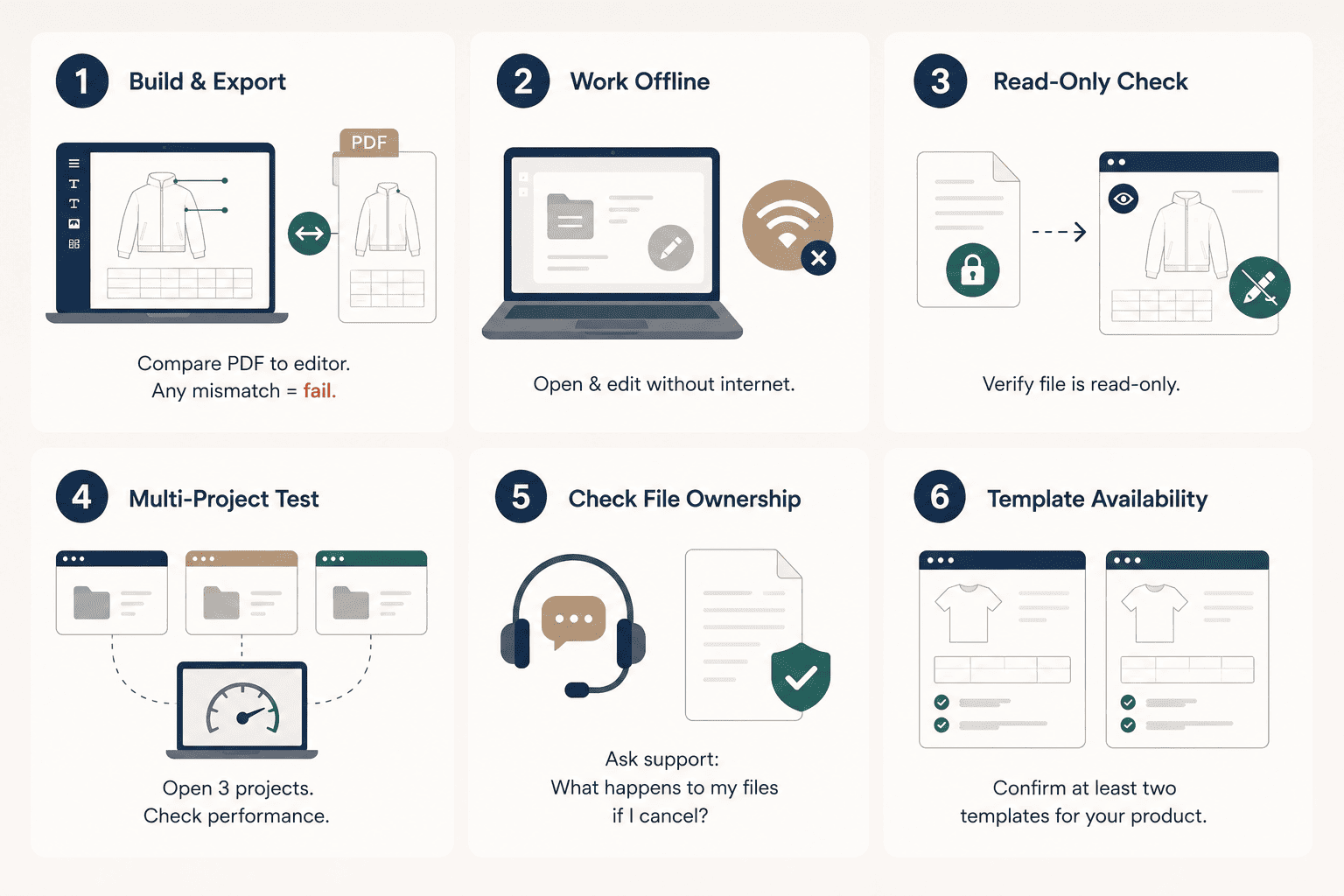
- Build a multi-section tech pack with images, annotation callouts, and a measurement grid. Export it as a PDF. Compare the PDF to the editor view element by element. Any mismatch is a WYSIWYG failure.
- Disconnect from the internet. Try to open and edit an existing file. If the software fails, it has no offline capability.
- Generate a read-only version and open it from the recipient side. Verify it cannot be edited or altered.
- Open three separate projects simultaneously and switch between them. Note whether response time degrades.
- Contact support directly and ask, in writing, what happens to your files if you cancel your subscription. Get the export policy confirmed before committing to a paid plan.
- Confirm that at least two pre-built templates exist for your specific product category with the relevant spec fields already in place.
A tool that clears all six steps without a workaround is worth your workflow. One that requires a workaround on step 1 or step 2 is not.
Conclusion
The feature question for tech pack software is not which tool has the most capabilities. It is the tool that does the right things correctly, without requiring workarounds at the steps that directly affect factory output.
They are what determine whether your software performs on a factory floor, not just in a browser demo. The features in the nice-to-have column become meaningful when operational scale makes them necessary. They are not what determines whether your first sample comes back right.
Run the six-step evaluation test from this article against any tool you are considering. Download Techpack Builder free for Mac or Windows and start there. No sign-up required to begin. No subscription required to create.
Other basic FAQ's
1. Can I use tech pack software without an internet connection?
Not all tools support offline use. Cloud-based platforms require a live connection for core features. Local-first software runs the full editing workflow on your machine, with the internet used only for optional syncing or collaboration. For designers traveling to factories in restricted-access regions, offline capability is a functional requirement, not a preference.
2. What does WYSIWYG mean in tech pack software?
It stands for "What You See Is What You Get." In practice, it means the document the factory receives after export is identical to what you built in the editor. Software without true WYSIWYG output produces formatting differences between the in-app view and the exported PDF, and those differences introduce ambiguity that factories resolve by guessing.
3. What is the difference between version control and file sharing?
File sharing sends a copy that the recipient can edit or forward. Version control creates a logged, read-only snapshot of your tech pack at a specific point in time, with a record of when it was shared and with whom. That record is what protects you when a factory claims they were working from the wrong file.
4. What is the difference between tech pack software and PLM software?
PLM manages the full operational arc of a product across sourcing, costing, sampling, and production. Tech pack software creates the factory-ready documentation used at one stage of that arc. For most brands under $10M in revenue, a dedicated tech pack tool solves the immediate problem without the multi-month implementation a PLM requires.
5. I already use Illustrator and Excel together. Why would I switch?
The Illustrator plus Excel workflow requires maintaining two separate files and reconciling them manually before every factory handoff. That reconciliation step is where formatting errors and version mismatches enter. A single-canvas tool eliminates that step, and the time savings compound across every style in a collection.