
Contents
Click here for TL;DR
- You are probably not behind on tech packs because you lack the right tool. You are behind because you are running three tools simultaneously: Illustrator, Excel, and a shared folder, and calling it a workflow.
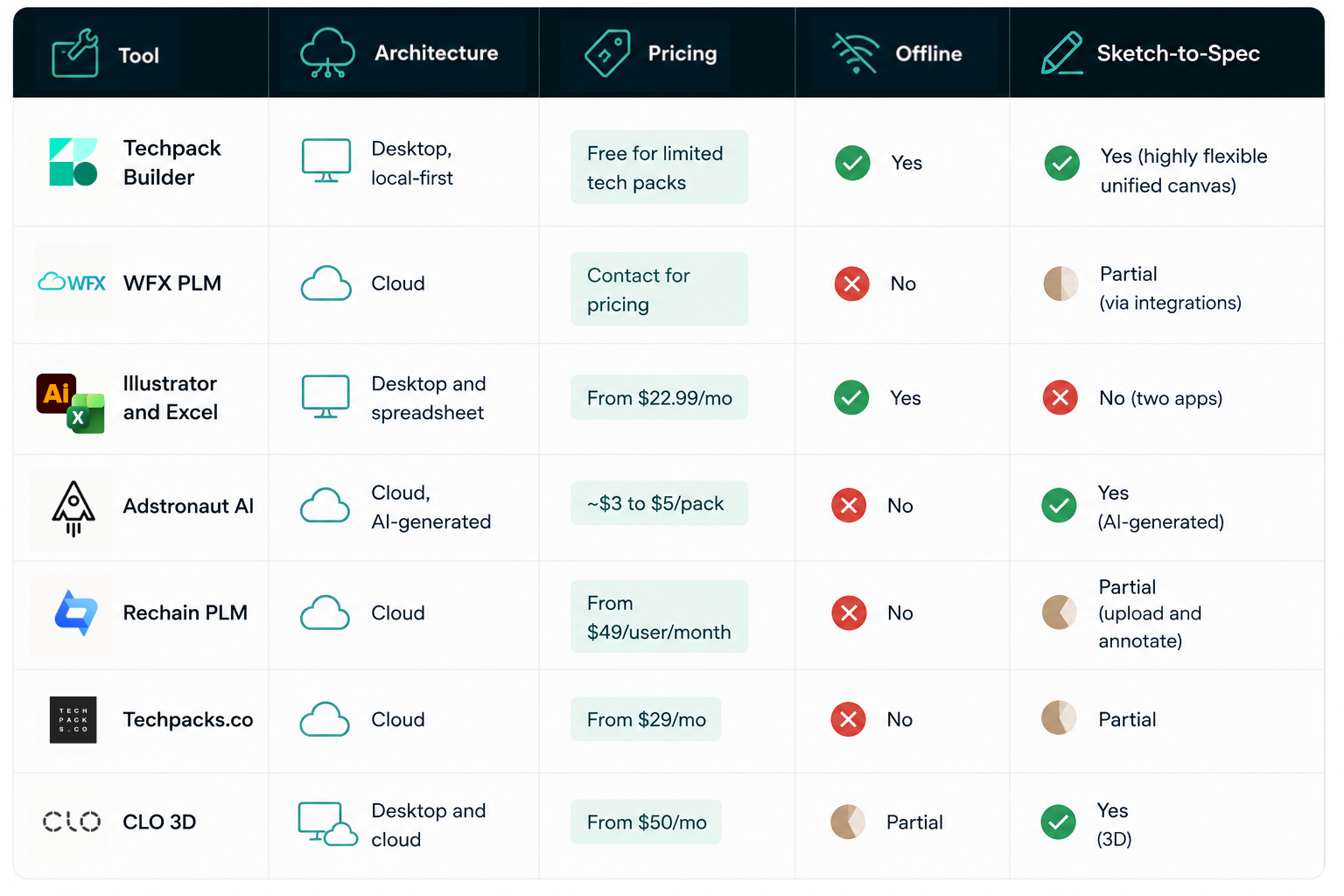
- Pricing ranges from free (desktop download, no style limits) to $50,000+ per year for enterprise PLM. If you produce fewer than 200 styles per season, the enterprise tier adds cost without adding output quality.
- No cloud-based tech pack tool in this comparison works without a stable internet connection. If you regularly visit overseas factories, that is a material constraint worth evaluating before you commit.
- The right choice depends on your team size, your style volume, and whether your workflow requires offline capability.
The Excel template costs you nothing to download. The three hours you spent last Tuesday reformatting it before sending it to your factory did not appear on any invoice. But that is the hidden cost of “free,” and it compounds with every style you produce.
For designers producing one or two styles a year, that overhead is manageable. For anyone running a growing brand or freelancing with multiple clients, the compounding effects are easy to underestimate before you start tracking them.
This piece covers the seven main tech pack software options worth evaluating in 2026, for freelancers, small brands, and growing studios producing up to 200 styles per season.
What to Evaluate Before Choosing Tech Pack Software
Three criteria filter out the wrong tool category before you look at a single feature list.
File ownership and portability.
If your subscription lapses, what happens to your files? Cloud-native platforms store tech packs in proprietary formats tied to an active account. A local file format, such as .tp, .ai, or .xlsx, stays on your machine regardless of subscription status. If your spec library is a long-term business asset, ownership matters more than any individual feature.
Offline capability
Factory floors in manufacturing hubs across China, Bangladesh, and Vietnam don't have reliable internet as a given.
If your workflow includes overseas visits or sourcing trips, offline capability isn't a nice-to-have as it determines whether you can open, edit, or share a tech pack when it matters most.
This is a standard workflow requirement that most comparison articles skip entirely.
Sketch-to-spec in one place
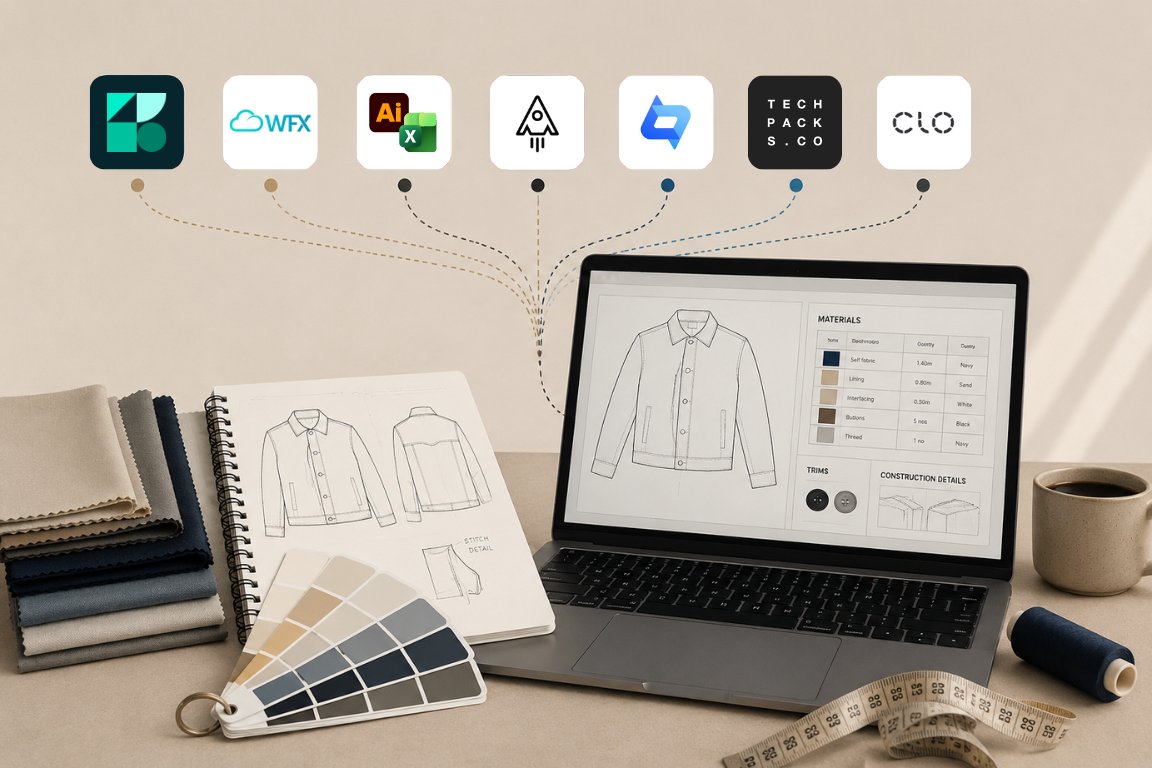
The Illustrator-plus-Excel combination lasted because no single tool has historically handled both visual and structured data well. That gap has narrowed. Tools that let you add a flat sketch, annotate it, and complete the BOM in the same canvas cut the update cycle in half because a change propagates through one document instead of two.
The 7 Best Tech Pack Software Tools in 2026
1. Techpack Builder: Best for Fashion Founders and Small-to-Mid Teams
Techpack Builder is a local-first desktop studio for Mac and Windows, built by Techpacker. It uses a content-block architecture: text, images, spec tables, and layout elements live in a single WYSIWYG canvas. What you see in the editor is exactly what the factory receives on export, with no layout drift between editing and output.
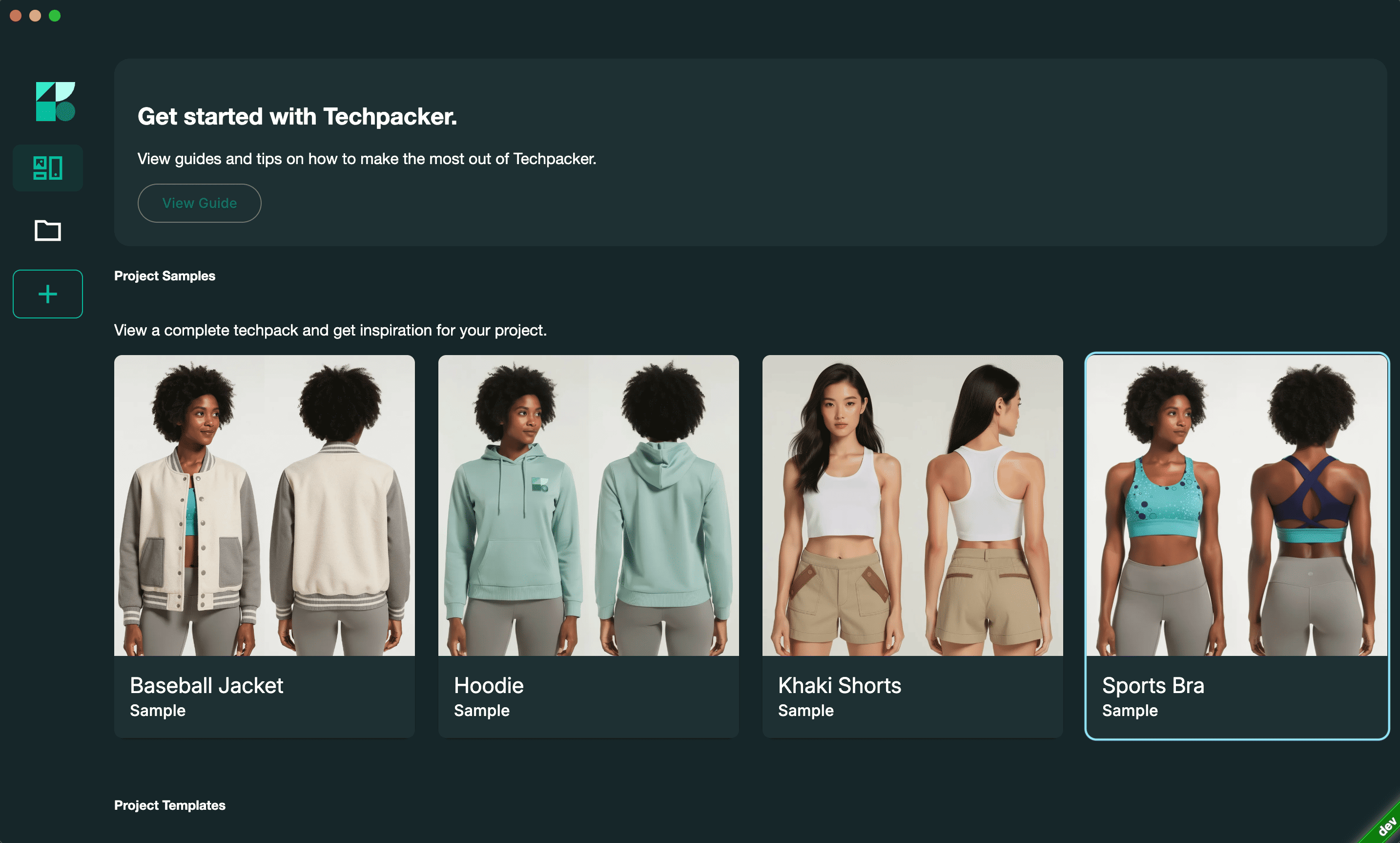
Files are saved in the .tp format, fully editable and owned locally, and shared via the .tpv format, a read-only factory-ready file built as a modern alternative to the traditional PDF master. No sign-up is required to download and start building. An optional cloud layer adds team syncing, version control, and AI-assisted features when activated.
Pricing: Free to download. No style limits. No active paid tier at the time of publication.
Best for: Freelance designers, fashion founders, and small-to-mid brands producing apparel, footwear, accessories, or home furnishings who want to move off the spreadsheet-and-Illustrator setup without a monthly subscription.
Pros:
- Works fully offline; no internet required for core workflows
- Local file ownership: your files live on your machine, not a server
- WYSIWYG canvas means the factory sees exactly what you built
- No sign-up required to start
- Supports multiple simultaneous projects with cross-project copy-paste
Cons:
- No native flat sketch creation.
- Cloud collaboration features, including team comments and block-level history, are in active development and not yet live.
Verdict: The clearest option for solo operators and small brands who need offline reliability and full file ownership without a subscription. If you produce fewer than 50 styles per season, this is where to start.
2. WFX PLM: Best for Brands Managing Global Supply Chains
WFX PLM is a cloud-based platform built specifically for apparel, footwear, and accessories brands. It started as an online tech pack tool over two decades ago and has since expanded into a full PLM system covering tech pack creation, BOM management, costing, sample tracking, and vendor communication. Integrations with Adobe Illustrator, CLO 3D, and Browzwear mean teams that already work in those tools don't need to rebuild their visual workflow from scratch.
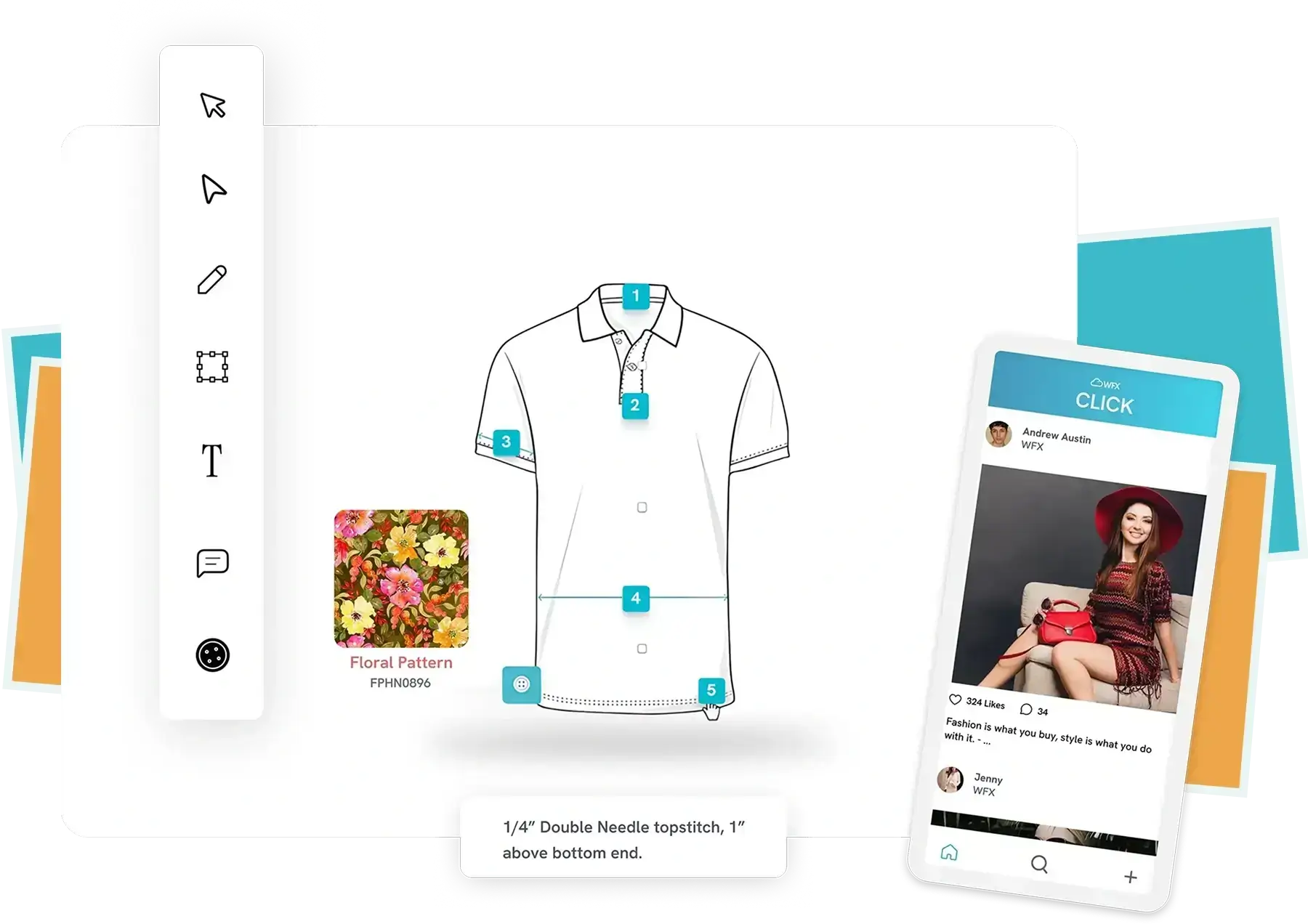
Pricing: Contact for pricing. WFX does not publish rates publicly.
Best for: Mid-size to large apparel brands managing complex global supply chains who need cross-team visibility, vendor coordination, and a PLM-lite structure without moving to an enterprise-tier system.
Pros:
- Tech packs support fit comments with photos, giving factories clear visual direction alongside specs
- BOM, costing, sample tracking, and vendor communication are consolidated in one platform
- Built specifically for fashion rather than adapted from a general-purpose PLM system
- Integrates with Illustrator, CLO 3D, and Browzwear for teams already in those workflows
- Onboarding support included, with implementation typically completed in 8 to 12 weeks
Cons:
- Cloud-only; no offline access
- Configuration takes time; some teams need additional support to get workflows running as expected
- Speed issues and bugs flagged by heavy users across multiple review platforms
- No public pricing makes budget planning difficult without a sales conversation
Verdict: A workable step up for brands that have outgrown standalone tech pack tools and need vendor coordination, sample tracking, and costing in a single platform.
If your team is still running collections through Google Sheets, this is worth reading before you evaluate anything else.
3. Adobe Illustrator and Excel: Best for Full Creative Control
This is not a purpose-built tech pack platform. It is the combination that the majority of professional technical designers still use: Illustrator for flat sketches, Excel for BOM and spec tables, and PDF assembled manually and sent to factories. It persists because both tools are universal, factory-recognized, and format-agnostic.
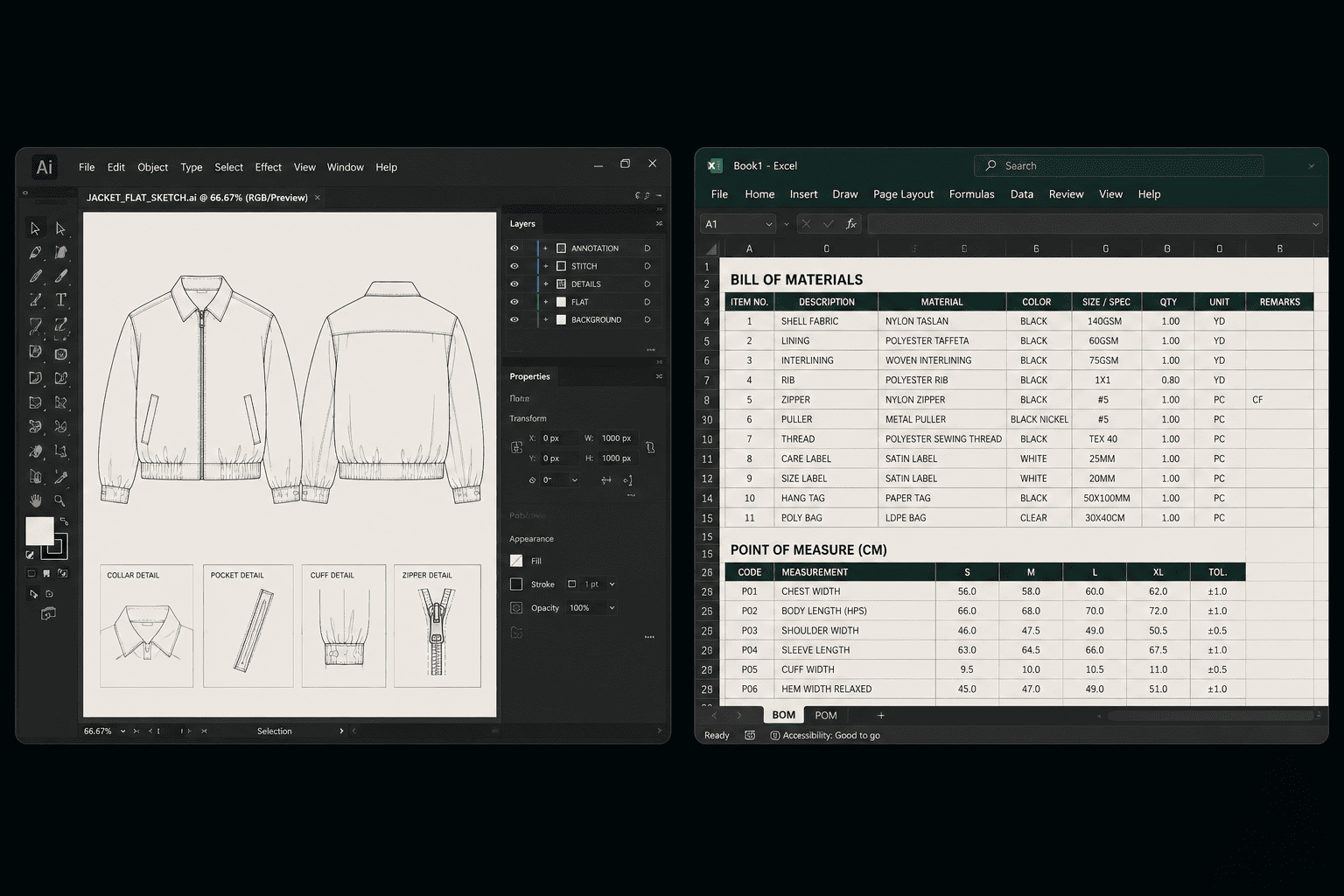
Pricing: Adobe Illustrator single-app plan from $22.99/month on an annual commitment. Microsoft 365 Personal pricing varies by region.
Best for: Large brands where Illustrator fluency already exists across the team, or freelancers producing fewer than five styles per season with no reason to introduce a new tool.
Pros:
- Full creative control over every visual element
- File formats (.ai, .xlsx, .pdf) are universally recognized and factory-agnostic
- No subscription lock-in on the underlying files
Cons:
- Two separate tools, two files, manual PDF assembly every time
- Every design revision requires updating both the sketch and the spreadsheet independently
- No structured version control or BOM automation
- Illustrator carries a steep learning curve for new designers
Verdict: Earns its place because your factories recognize the formats, and nothing you produce is platform-locked. If the formatting overhead is registering as a real cost, a free desktop alternative is worth testing before your next collection.
4. Adstronaut AI: Best for First-Draft Speed
Adstronaut AI generates a tech pack from a garment photo. You upload an image, and the AI produces a draft including flat sketch, BOM, measurements, and construction notes, exported as a factory-ready PDF. Time from upload to first draft is approximately 5 to 15 minutes.
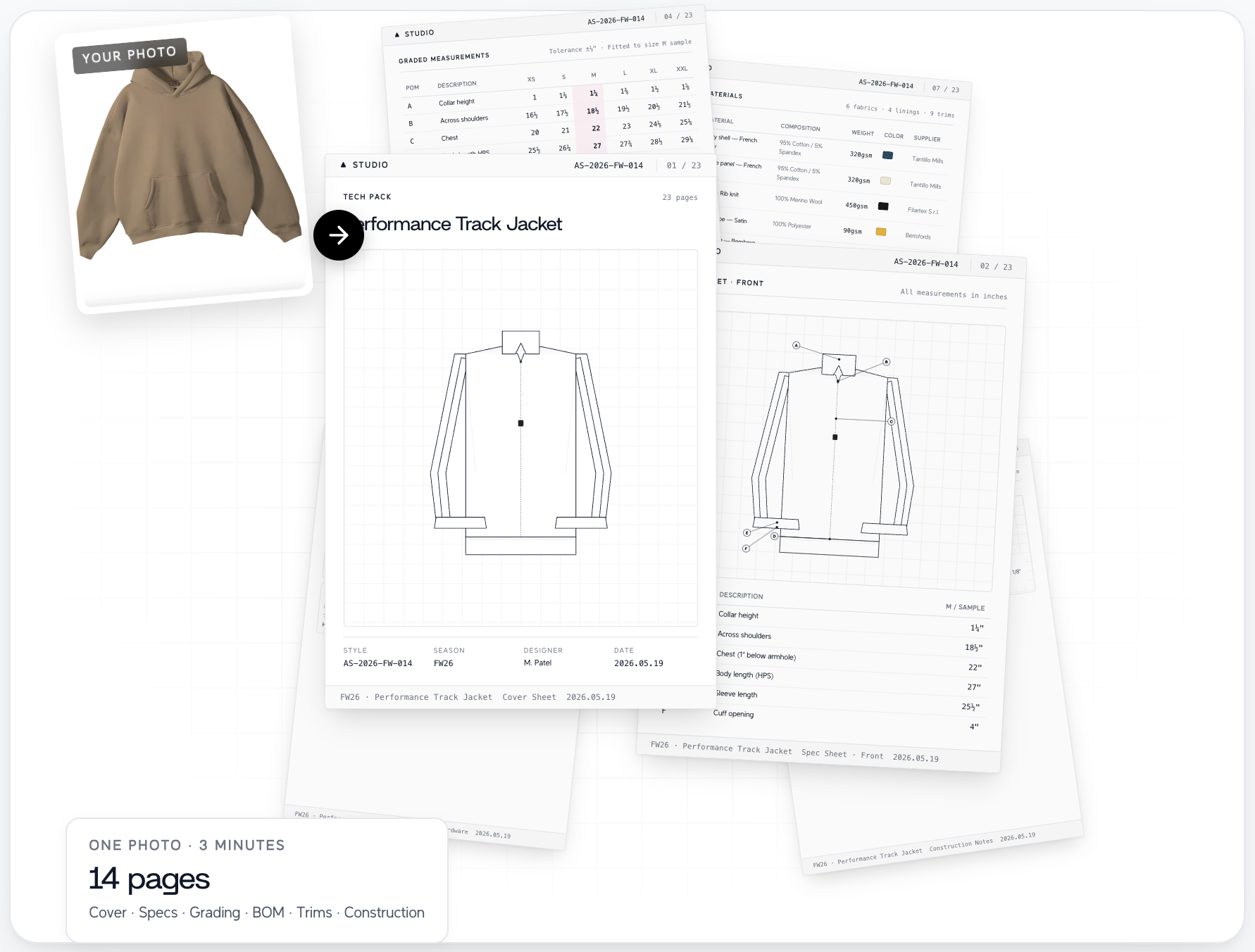
Pricing: Credit-based, approximately $3 to $5 per tech pack, depending on volume. Verify current credit rates before committing, as AI tool pricing changes frequently.
Best for: Indie brands or first-time designers who need a starting point quickly, or studios with high volume, simple styles, and short timelines.
Pros:
- Fastest initial output in this comparison
- No Illustrator skill required
- No sign-up required for the first pack
Cons:
- Output is 50 to 70% complete; requires manual editing before it is production-ready
- The credit model becomes expensive at consistent volume
- No offline capability; no editable source file format
Verdict: Useful when you have a garment, a deadline, and no technical designer available. At consistent production volume, the per-pack credit cost adds up faster than a subscription alternative would.
5. Rechain PLM: Best for Growing Brands Replacing Spreadsheets with PLM Structure
Rechain is a cloud-based PLM built specifically for apparel and footwear brands that have outgrown standalone tech pack tools but don't need the overhead of an enterprise system. It covers tech pack creation, BOM management, costing, sample review with photo annotation, supplier communication, and production tracking in one platform. The focus is on fast setup and day-to-day usability rather than deep configuration.
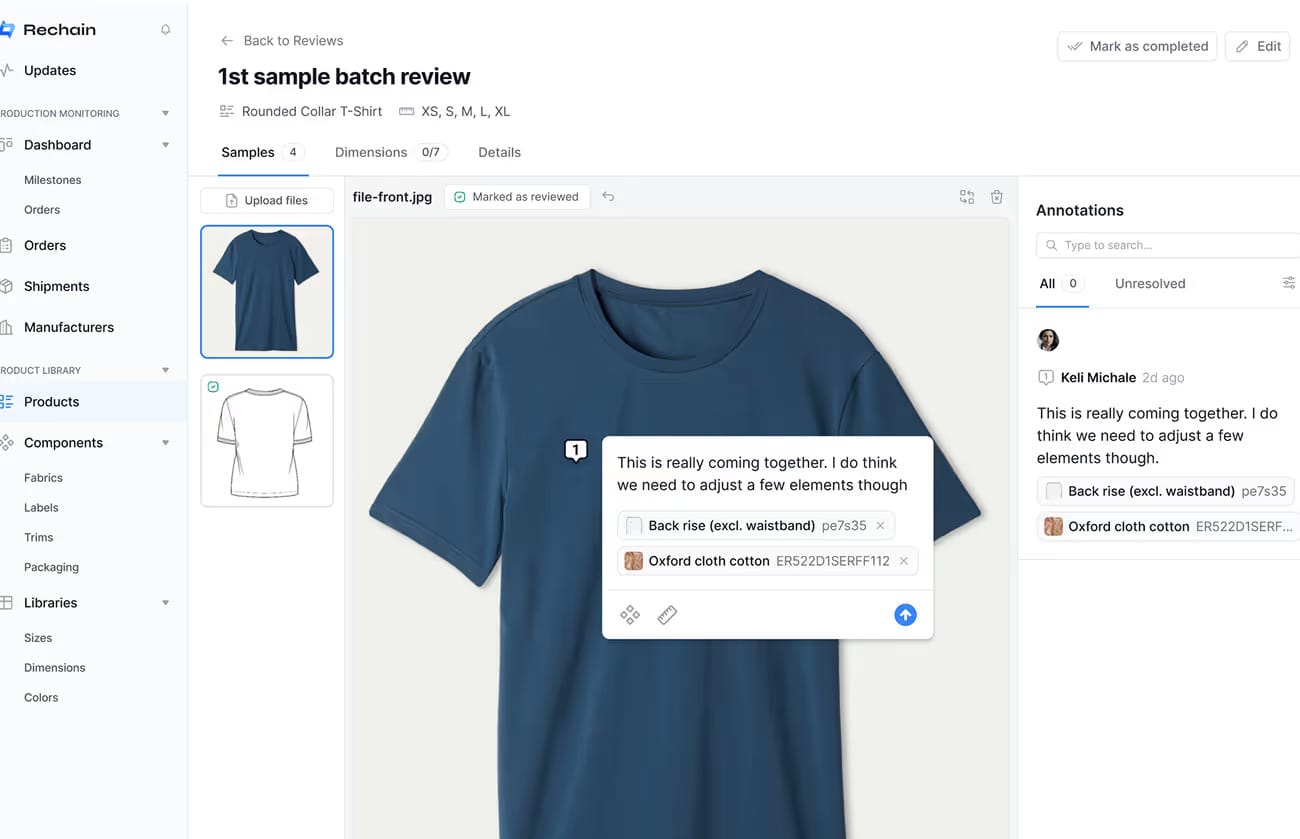
Pricing: Starts at $49 per user per month. Rechain also offers a 60-day money-back guarantee, which is uncommon at this price tier and worth factoring into your evaluation.
Best for: Growing brands with 30 to 200 styles per season that are ready to move off spreadsheets and need connected tech pack, sampling, and supplier workflows without a multi-month implementation project.
Pros:
- Tech pack creation, sample annotation, costing, and supplier communication in one platform
- Fast onboarding compared to mid-market PLM alternatives; no lengthy configuration cycle required
- Real-time costing updates as products change, with granular tracking across materials, trims, labor, and freight
- 60-day money-back guarantee reduces commitment risk at the evaluation stage
- Free supplier access included, reducing friction on the factory side
Cons:
- Cloud-only; no offline access
- Newer platform with a smaller user community and integration ecosystem than established alternatives
- Traceability and documentation are prioritized over collection planning depth, which may feel limited for merchandising-heavy teams
- No native flat sketch creation; flat sketches must be created externally and uploaded
Verdict: Rechain fills the gap between a dedicated tech pack tool and a full PLM system without requiring the setup time or budget that most mid-market PLMs demand.
6. Techpacks.co: Best for Budget-Conscious Brands with Simple Styles
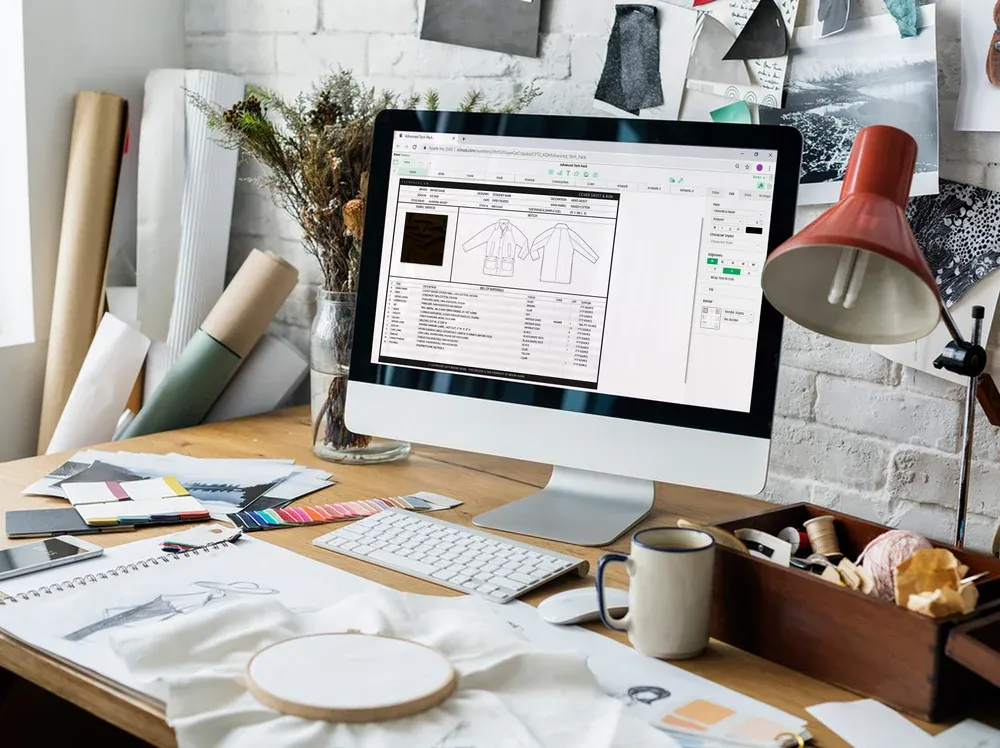
Techpacks.co is a cloud-based platform at the lower end of the subscription price range. It covers template-driven workflow, BOM and spec sheet creation, and flat sketch uploads. It handles the core tech pack creation use case or the architectural differentiation of a local-first tool.
Pricing: From $29/month.
Best for: Small brands producing straightforward styles who want a dedicated tool at the lowest available cloud subscription cost.
Pros:
- Accessible entry price point
- Structured templates reduce setup time for simple styles
- No Illustrator dependency for data entry
Cons:
- Limited layout customization; surfaces quickly on anything beyond a basic cut-and-sew garment
- Cloud-only; no offline access
- Less BOM depth for complex styles
Verdict: A workable option if your styles are simple and your budget is tight. Test it on your most complex current style before subscribing, because the customization ceiling surfaces quickly.
7. CLO 3D: Best for Brands Investing in 3D Prototyping
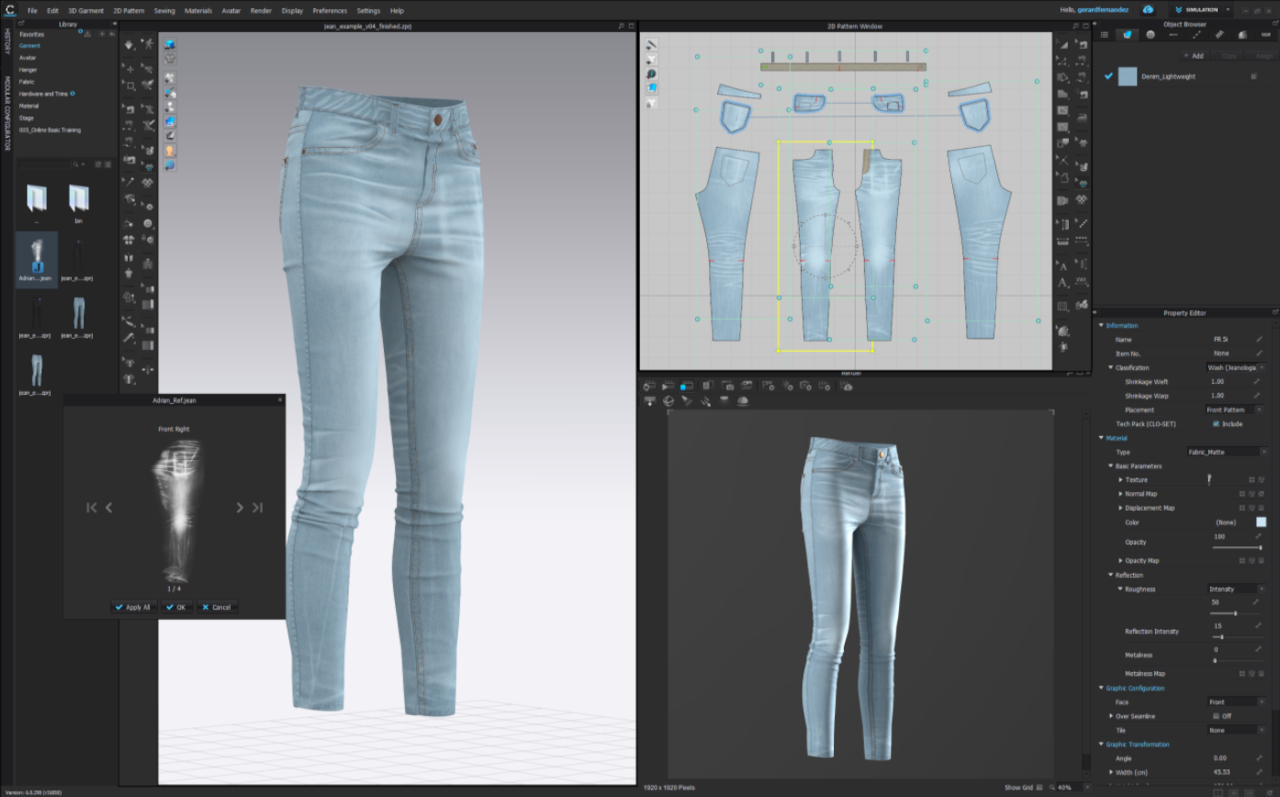
CLO 3D is a 3D garment simulation platform that produces tech pack documentation as a secondary output. You build garments in a 3D environment with accurate drape and fit simulation. Measurement data can be extracted from the 3D model, reducing the need to build spec sheets from scratch.
Pricing: Individual plan from $50/month; business pricing is custom-quoted.
Best for: Sportswear and technical apparel brands with dedicated pattern-makers on staff and a commitment to reducing physical sample rounds.
Pros:
- Photo-realistic garment visualization with accurate drape simulation
- Measurement extraction directly from the 3D model
- Reduces dependence on physical samples for fit review
Cons:
- Very steep learning curve; requires pattern-making expertise to use effectively
- Not a standalone tech pack solution; you will still need a supplementary tool for complete BOM and packaging specs
- High upfront time investment before the workflow becomes efficient
Verdict: The right investment if you have a pattern-maker on staff and a real business case for reducing physical sample rounds. Without dedicated technical expertise, the learning curve and cost outweigh the benefit at under 100 styles per season.
How to Choose: A Simple Decision Framework
Three questions narrow this down faster than any feature list.
How many styles do you produce per season?
Under 30: a free desktop tool or low-cost cloud subscription covers your workflow. Between 30 and 200: reusable libraries and version tracking start returning real-time savings. Over 200: evaluate PLM-tier options.
Do you work across different connectivity environments?
If your workflow includes factory visits or travel to manufacturing hubs, eliminate every cloud-only tool from the list. That removes four of the seven options in this comparison.
Do you need to own your files long-term?
If your spec library is a business asset you need to retain regardless of which subscription is active, local file ownership is not optional.
Not sure where Illustrator fits relative to the rest of your product development stack? This guide maps out the tools designers actually use at each stage.
Does Your Factory Care Which Software You Use?
No. Factories evaluate the content of a tech pack, not the platform that produced it. A clear flat sketch, complete measurements, a thorough BOM, and accurate construction notes are what a factory needs. That content can come from Illustrator, a cloud platform, or a local desktop app with equal validity.
Some factories, particularly those handling high-volume repeat programs, have preferred template structures for spec tables.
Ask your manufacturer directly whether they have a format preference before you build your first tech pack with a new tool. Most do not, but some do, and knowing upfront saves a reformatting round.
The Bottom Line
The gap between a functional tech pack workflow and a frustrating one rarely comes down to skill.
It comes down to friction: how many steps separate a design decision from a factory-ready document, and how many of those steps are manual, duplicated, or split across tools that were never built to work together.
If you're running under 30 styles a season and spending more time formatting than designing, start with a free desktop tool before evaluating anything else. Download Techpack Builder for free on Mac or Windows. No sign-up required to start, no subscription required
Other basic FAQ's
1. What is the best free tech pack software in 2026?
Techpack Builder is the only full-featured desktop tech pack tool available as a free download with no style limits on both Mac and Windows as of 2026. AI-generated tools like Adstronaut AI offer free first packs but run on a credit model at production volume. Excel and Illustrator templates are free but require significant manual effort across two separate applications.
2. What file format does Techpack Builder export?
Techpack Builder exports in the .tpv format, a read-only file designed as a factory-ready alternative to PDF. It cannot be edited or altered by the recipient, and it creates a sender-side record of what was shared and when. Standard PDF export is also available.
3. Can I create a tech pack without Adobe Illustrator?
Yes. Purpose-built tech pack platforms let you import flat sketches as image files or use integrated sketch tools, removing the Illustrator dependency. If you need to create flat sketches from scratch, Repsketch handles that step as a standalone tool.
4. What software do professional technical designers use?
Adobe Illustrator and Excel remain the most common combination at large, established brands. The industry is actively shifting toward dedicated platforms that unify sketch, spec, and BOM in a single exportable document, particularly at brands below the enterprise PLM threshold.
5. What is the difference between tech pack software and PLM software?
Tech pack software handles the creation and export of the specification document sent to a factory. PLM software manages the full product development cycle, including costing, sourcing, sample tracking, approvals, and supplier communication, with tech pack creation as one component. Most brands with under 200 styles per season do not need PLM.